Backoffice Ops
4 Best SEO Agent Tools for Operations and Back-Office Teams
Most SEO agent tools are built for marketers, not operations teams drowning in audit reports and broken workflows. Here are the 4 that actually fit how ops leaders work.

Khushbu Adav
Product at Predflow

Your back-office team is spending hours each week pulling site audit reports manually, chasing developers to fix crawl errors, and reconciling SEO data across three dashboards that share no data with each other. The seo agent category promises to fix this. But most tools in this space are built for marketing teams running keyword campaigns, not for operations leaders managing workflows, costs, and compliance.
The gap shows up fast. Teams adopt a popular SEO platform, configure a few reports, and still find themselves manually triaging alerts, copying data between systems, and debugging issues with no clear owner. Skipping continuous performance auditing is one of the most expensive operational mistakes a back-office team can make. It compounds over weeks: broken pages go unflagged, crawl errors multiply, and the team absorbs the cleanup cost in staff hours rather than ranking drops.
This article evaluates four SEO agent tools specifically on how well they fit operations and back-office environments, not just how many keywords they can track.
What Should an SEO Agent Actually Do for an Operations Team?
Operations leaders and finance teams need different things from an SEO agent than a marketing manager does. A marketer wants keyword ranking trends. An operations leader wants audit schedules that run without prompting, alerts that route to the right person, and reports that feed into existing business operations software without manual export steps.
Automated Auditing vs. Manual Reporting: Why the Difference Matters for Back-Office Teams
Manual reporting means someone on your team pulls a report, interprets it, and decides what to escalate. Automated auditing means the system runs on a schedule, flags anomalies against a defined threshold, and creates a task without human initiation.
For back-office managers, that distinction is the difference between using a monitoring and evaluation tool and simply owning one. A tool that requires manual initiation adds headcount cost at every cycle. A true SEO agent acts as a business process monitor: it runs, flags, routes, and logs without waiting for a person to start the process.
Even experienced teams underestimate how much manual SEO oversight costs in compounding inefficiency. Teams with structured processes still lose significant staff time when site performance monitoring depends on someone remembering to check a dashboard.
The Five Capabilities Operations Leaders Should Demand from Any SEO Agent Tool
Before reviewing any specific product, apply this rubric. The table below defines the five capabilities that separate operational SEO tools from marketing-first platforms. Values for each tool are filled in across the sections that follow.
Capability | Definition |
|---|---|
Automated Auditing | Runs scheduled crawls and flags issues without manual initiation |
Workflow Integration | Connects to existing business software via API or native connector |
Alerting | Sends threshold-based alerts to defined team members or ticketing systems |
Reporting | Generates structured reports exportable to operations or finance dashboards |
Edge-Case Handling | Flags unexpected errors (broken redirects, crawl blocks) without manual review |
The 4 Best SEO Agent Tools Compared
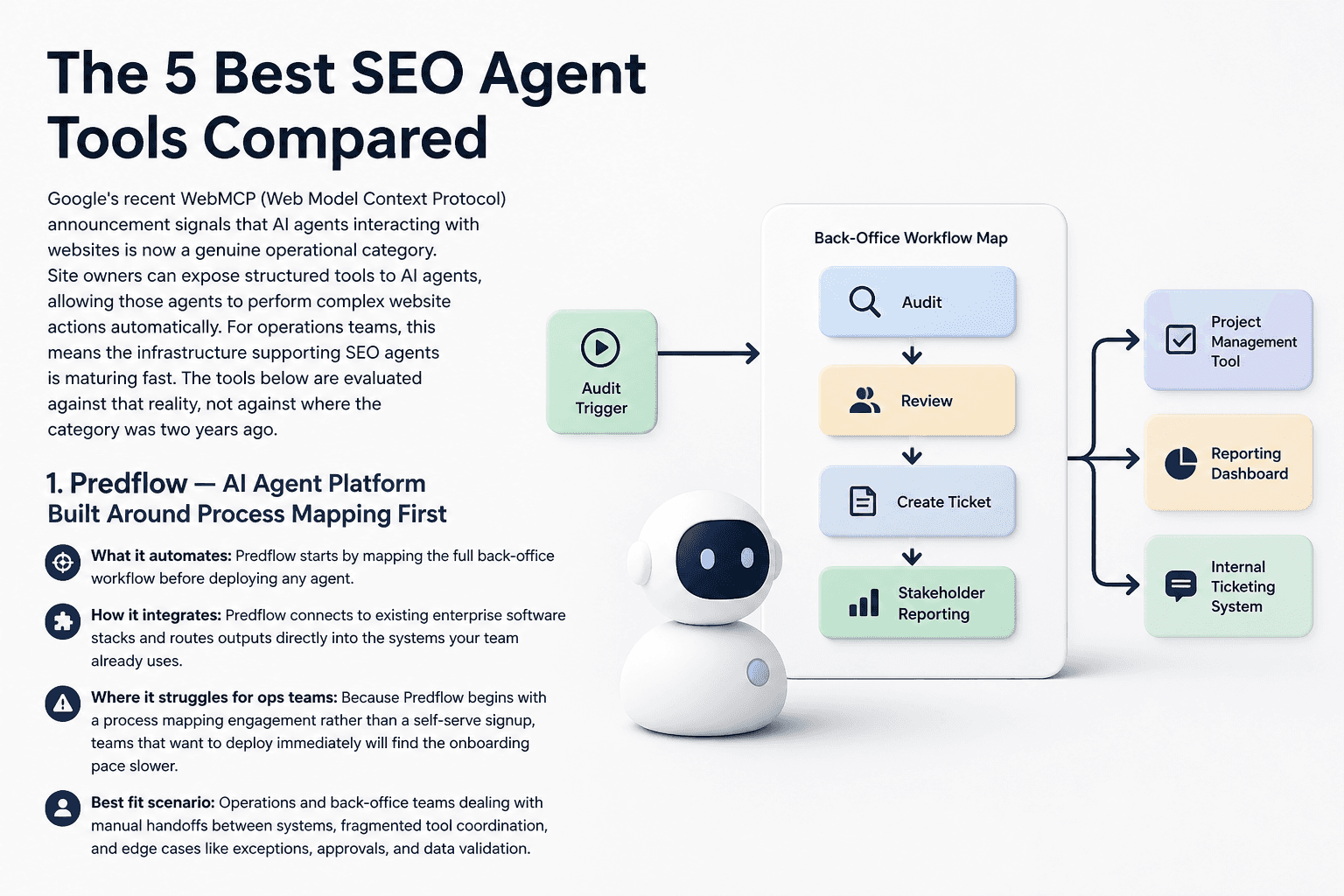
Google’s recent WebMCP (Web Model Context Protocol) announcement signals that AI agents interacting with websites is now a genuine operational category. Site owners can expose structured tools to AI agents, allowing those agents to perform complex website actions automatically. For operations teams, this means the infrastructure supporting SEO agents is maturing fast. The tools below are evaluated against that reality, not against where the category was two years ago.
1. Screaming Frog SEO Spider — Deep Technical Auditing for Ops Teams with Developer Support
What it automates: Screaming Frog crawls websites and surfaces technical issues including broken links, redirect chains, duplicate content, and missing metadata. Scheduled crawls can run automatically and export results to structured formats.
How it integrates: It connects to Google Analytics, Google Search Console, and PageSpeed Insights. Data exports work well for teams feeding results into automated reporting tools or spreadsheet-based workflows. An API is available for more advanced pipeline integration.
Where it struggles for ops teams: Screaming Frog is fundamentally a crawl tool. It surfaces data but does not act on it. A developer or technically fluent team member still needs to interpret results and route issues to the right owner. There is no native alerting or ticketing integration.
Best fit scenario: Small to mid-size operations teams that have a developer resource available and need deep technical audit data at low cost. It works well as one component of a broader workflow, not as a standalone SEO agent.
Capability | Screaming Frog |
|---|---|
Automated Auditing | Yes, scheduled crawls |
Workflow Integration | Limited, export-based |
Alerting | No native alerting |
Reporting | Yes, structured exports |
Edge-Case Handling | Manual review required |
2. SEMrush — Broad SEO Suite with Automated Reporting and Monitoring Alerts
What it automates: SEMrush automates position tracking, site health scoring, backlink monitoring, and scheduled PDF reports. Its Site Audit module runs on a defined schedule and scores technical health across configurable issue categories.
How it integrates: SEMrush connects to Google Analytics, Search Console, and Trello. Its API supports custom integrations for teams building data pipelines into enterprise software solutions or internal dashboards. Automated email reporting reduces manual export steps.
Where it struggles for ops teams: SEMrush is built primarily for marketing teams. Its interface prioritizes keyword strategy and competitor analysis over workflow automation. Operations leaders often pay for capabilities they do not use, and the alerting system routes to email rather than ticketing or ops platforms natively.
Best fit scenario: Operations teams that have a marketing function co-managing the tool, or back-office managers who need a middle tier between a pure crawl tool and a full enterprise platform. Works best when someone on the team is already familiar with the SEMrush interface.
Capability | SEMrush |
|---|---|
Automated Auditing | Yes, scheduled |
Workflow Integration | Moderate, API available |
Alerting | Yes, email-based |
Reporting | Yes, automated PDF |
Edge-Case Handling | Limited, manual review |
3. Ahrefs — Backlink and Content Monitoring with Scheduled Audit Exports
What it automates: Ahrefs automates backlink monitoring, content gap tracking, and scheduled site audits. Its Site Audit tool crawls on a set schedule and flags health score changes between runs, which gives ops teams a baseline comparison without manual initiation.
How it integrates: Ahrefs offers API access for data extraction into external systems. It does not offer native integrations with project management or ticketing tools, so feeding audit results into an operations workflow requires a middleware layer or manual steps.
Where it struggles for ops teams: Like SEMrush, Ahrefs is designed around content and link strategy. Its audit module is strong but its alerting and routing capabilities are minimal. Operations teams building a real time monitoring system around SEO signals will need additional tooling alongside it.
Best fit scenario: Back-office teams that need reliable scheduled auditing and want strong backlink data as a secondary signal. Best used as a data source feeding into a larger operational stack rather than as the primary SEO agent.
Capability | Ahrefs |
|---|---|
Automated Auditing | Yes, scheduled |
Workflow Integration | API-based, limited native |
Alerting | Minimal |
Reporting | Yes, exportable |
Edge-Case Handling | Manual review required |
4. Botify — Enterprise Crawl Automation for Large-Scale Site Operations
What it automates: Botify automates crawling, log file analysis, and page performance scoring at enterprise scale. It ingests real data from web server logs alongside crawl data, which gives operations teams visibility into what search engines actually crawl versus what they should crawl.
How it integrates: Botify connects to data warehouses, BI tools, and analytics platforms. For large organizations running enterprise applications and needing SEO data inside existing reporting infrastructure, it offers more serious integration depth than most SEO platforms.
Where it struggles for ops teams: Botify is priced and scoped for large enterprises with dedicated SEO or technical teams. Smaller operations teams will find the platform over-specified for their workflows and the cost hard to justify without high site complexity.
Best fit scenario: Enterprise operations teams managing large-scale sites where crawl budget, log analysis, and structured data governance are genuine operational concerns. Not a fit for teams under a certain site complexity threshold.
Capability | Botify |
|---|---|
Automated Auditing | Yes, enterprise-grade |
Workflow Integration | Strong, BI and data warehouse |
Alerting | Yes, configurable |
Reporting | Yes, structured data exports |
Edge-Case Handling | Strong at scale |
How to Choose the Right SEO Agent Tool for Your Operations Workflow
The most common mistake operations leaders make is selecting a tool based on feature lists rather than workflow fit. A platform can offer automated reporting tools, a powerful API, and configurable alerts and still consume more staff hours than it saves if it does not connect to the systems your team already uses.
Team Size and Workflow Complexity: The First Filter
A three-person operations team and a 50-person back-office function have different needs from an SEO agent. Smaller teams need tools that are opinionated and require minimal configuration. Larger teams with complex workflows need integration depth and the ability to route outputs to different owners based on issue type.
Skipping this filter leads to buying enterprise software the team uses at 10% capacity. That is a direct software expenses problem, not just a tooling mismatch.
Integration Requirements: Does It Connect to Your Existing Business Software Stack?
Every tool in this list offers some form of API access. But API access is not the same as operational integration. Ask specifically whether the tool can push outputs into your ticketing system, your reporting stack, or your operations management software without requiring a developer to maintain a custom middleware layer.
If the answer is no, factor in the ongoing cost of maintaining that connection. Software license management decisions should include integration maintenance as a real line item.
Total Cost of Ownership vs. Software Expenses Saved Through Automation
Use this decision tree before finalizing any tool selection:
If your team handles more than 50 auditable pages per sprint and needs automated ticket creation, prioritize tools with workflow integration APIs.
If your site is under 10,000 pages and your team has developer support available, Screaming Frog plus a lightweight middleware layer will cost less than an enterprise platform.
If you are operating across multiple properties or business units with different reporting owners, prioritize tools with role-based alerting and structured export capabilities.
If your workflow is still manual and fragmented, mapping the process first will generate more value than selecting a more expensive tool.
Failing to audit performance continuously is one of the most direct operational costs in this category. Staff hours lost to reactive cleanup consistently exceed what proactive automated auditing would cost.
SEO Agent Tools and Back-Office Integration: What Operations Leaders Miss
Selecting the right tool is the beginning of the problem, not the end. Most post-purchase failure modes happen not because a tool lacks features, but because the team did not define how its outputs connect to existing systems and who owns each handoff.
Connecting SEO Agent Output to Your Existing Monitoring and Reporting Stack
An SEO agent that alerts to a Slack channel is not integrated into your operations workflow. True integration means audit outputs reach your ticketing system with the right priority level, the right assignee, and a defined SLA. SLA management tools and auditing software tools are only useful if the upstream data arrives in a structured, routable format.
Define the output schema before deploying any tool. What format does the alert need to be in? Where does it land? Who is notified and in what timeframe?
Human Oversight Checkpoints: How to Avoid Full Automation Failure
Full automation without checkpoints creates a different kind of manual work: debugging failures after the fact. Every automated workflow needs at least one human review point for exceptions outside normal parameters.
Software lifecycle management principles apply here. Treat your SEO agent like any other business information system: define what it owns, what it escalates, and what it logs for audit purposes. Real time monitoring system design without human override capacity is a liability.
Measuring ROI from an SEO Agent in Operational Terms, Not Marketing Metrics
Marketing teams measure SEO ROI in rankings and organic traffic. Operations teams should measure it in staff hours recovered, reduction in manual handoffs, and time-to-resolution on technical issues.
A meaningful finding from research into marketing effectiveness is that a large share of teams with dedicated processes still report their web operations as ineffective. That gap exists not because of tool quality but because of process fragmentation. Even well-resourced teams lose compounding efficiency when SEO oversight depends on manual attention rather than automated performance monitoring.
Define your baseline before deployment. Measure hours spent on manual audit tasks per sprint. That number is your ROI denominator.
Frequently Asked Questions
What is an SEO agent and how is it different from standard SEO software?
An SEO agent is a system that acts on SEO data automatically, running audits, flagging issues, and routing outputs to the right people without manual initiation. Standard SEO software provides data and dashboards but requires a person to interpret results and take action. The agent layer removes the manual step between insight and response.
Can an SEO agent tool integrate with enterprise business software like ERP or CRM systems?
Most enterprise-grade SEO tools offer API access that supports integration with ERP and CRM systems, but native connectors are rare. Teams typically need a middleware layer or a custom integration to route SEO outputs into enterprise applications. The depth of that integration varies significantly between tools.
How much manual work does an SEO agent actually eliminate for a back-office team?
It depends entirely on how well the tool’s outputs connect to existing workflows. A tool that automates auditing but requires manual export and triage still generates significant manual work. Teams that fully integrate SEO agent outputs into their ticketing and reporting stack see the largest reduction in recurring manual tasks.
What is the biggest risk of deploying an SEO agent without a process map?
The tool will automate the existing workflow, including its broken parts. Without a process map, teams have no clear owner for each alert type, no defined escalation path for edge cases, and no baseline to measure improvement against. Automation without a process map accelerates existing problems rather than solving them.
Which SEO agent tool is best for a small operations team with limited technical staff?
Screaming Frog with scheduled crawls handles technical auditing at low cost and does not require ongoing platform management. For teams that need more automation and fewer manual steps, a purpose-built agent platform that starts with workflow mapping will remove more staff burden than a self-serve SEO suite configured without that foundation.
Conclusion
The tool you choose matters less than whether your team has mapped the underlying process first. Every tool in this list can automate something. None of them can fix a workflow that has no clear owner for each handoff, no defined escalation path, and no baseline measurement.
Adding an SEO agent on top of a manual, fragmented process does not remove the manual work. It speeds up the fragmentation. Before comparing pricing tiers or feature lists, answer one question: do you know exactly where your current SEO process breaks down and who is responsible for each handoff?
If your team is ready to map the process before picking the tool, explore how Predflow builds back-office AI agents around your existing workflows, starting with a free process audit, not a software demo.
Bring 20 NetSuite bills to a 30-minute teardown
We will walk your actual invoices through capture, 3-way match and posting on the call, and tell you which steps an agent can take over. No prep beyond the PDFs.
FAQ
Frequently asked questions
What exactly is an AI agent
An AI agent is an autonomous system designed to handle specific business tasks end-to-end. Unlike simple chatbots, AI agents can reason, take actions, integrate with tools, and follow defined workflows.