Business Ops
7 Business Process Monitor Tools Ops Teams Actually Use
7 business process monitor tools compared on alerting, exception workflows and integration depth, so failures surface before they become costly surprises.

Sanya Shah
Co-founder, Predflow

A finance team discovers a billing delay three days after it started, not because an alert fired, but because a vendor called to complain. Somewhere between the ERP and the approval system, the invoice stalled. No one saw it happen. By the time it surfaced, the damage to the vendor relationship was already done.
This is the reality for most operations teams: they manage processes across disconnected systems and only learn about failures through lagging reports or frustrated stakeholders. A business process monitor closes this gap by giving teams live visibility into where work is moving, where it is stalling, and who needs to act, before the downstream impact compounds.
According to BPMInstitute.org, BPM solutions are defined as frameworks used to develop, deploy, monitor, and optimize multiple types of process automation applications, including processes that involve both systems and people. (Source: Best Practices in Business Process Management, BPMInstitute.org)
This article compares 7 tools across the criteria that matter most to supply chain, finance, and back-office teams: depth of process visibility, integration reach, alerting logic, and ease of setup.
What to Look for in a Business Process Monitor Tool
Choosing a business process monitor without a clear framework leads to tools that look good in demos but fail under real operational conditions. Every practical monitoring framework rests on four pillars: visibility, control, compliance, and improvement. Use these to pressure-test any tool before you commit.
Real-time visibility vs. batch reporting
Real-time visibility means seeing a stalled invoice the moment it stops moving, not in Friday's report. Batch reporting tools are better than nothing, but they consistently lag the event. For operations management software decisions, ask vendors specifically: how quickly does an alert fire after a process deviation occurs?
Integration depth with your existing stack
A monitoring tool that does not connect to your ERP, CRM, or ticketing system creates yet another silo. Depth matters more than breadth: five deep integrations with your actual stack outperform fifty shallow connectors. Verify whether integrations are native or rely on middleware that adds latency and failure points.
Alerting logic: threshold-based vs. anomaly-based
Threshold-based alerts fire when a value crosses a line you set manually. Anomaly-based alerts learn what normal looks like and flag deviations automatically. Automated performance monitoring using anomaly detection catches edge cases that threshold rules miss, particularly useful for processes with seasonal or variable patterns.
Human oversight and audit trail support
Control and compliance require a clear record of who saw what, when, and what action was taken. Any business information systems tool shortlisted for regulated environments or finance workflows must produce an immutable audit trail. Without it, monitoring gives visibility but not accountability.
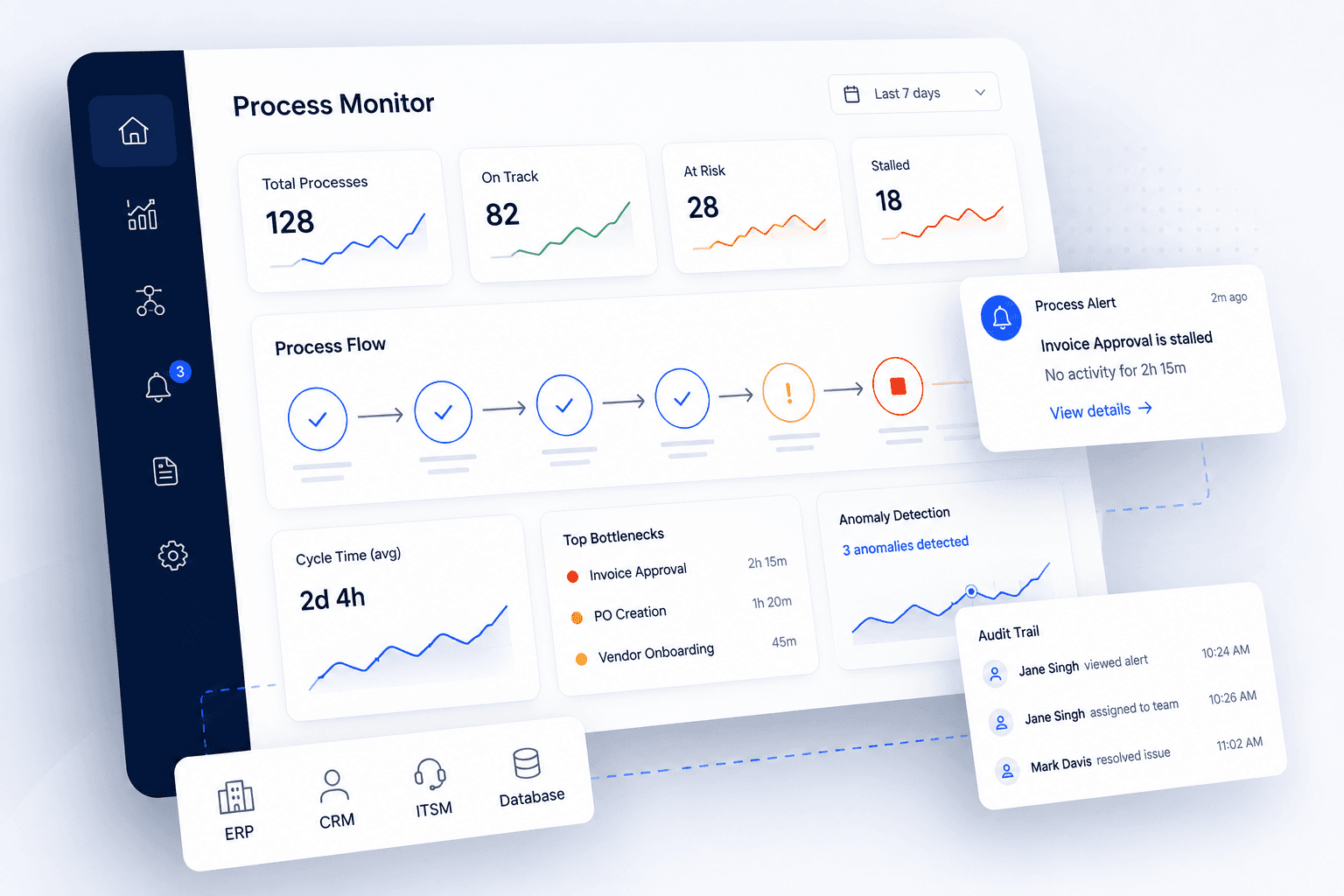
7 Business Process Monitor Tools Compared
One of the most common mistakes in business process improvement is failing to monitor and measure progress after a tool is deployed. (Source: 5 Common Mistakes in Business Process Improvement, Kuali) The tools below are structured to help you avoid that: each profile covers what the tool monitors, who it fits, what it does well, and where it falls short.
1. Datadog: Best for engineering-adjacent ops teams
What it monitors: Application performance, infrastructure health, log pipelines, and custom business metrics via dashboards.
Best fit for: Operations teams that work closely with engineering and need process telemetry tied to system-level events.
Standout feature: Datadog's APM application performance monitoring layer can be extended with custom business metrics, letting ops teams track process KPIs alongside system uptime in a single view.
One limitation: Configuration requires technical input. Non-technical back-office teams face a steep setup curve without engineering support, making it less practical as a standalone business process monitor for finance or supply chain workflows.
2. Camunda: Best for BPMN-modeled process workflows
What it monitors: Structured business processes modeled in BPMN notation, including task completion, handoff timing, and exception rates.
Best fit for: Operations teams that have already mapped their workflows formally and want execution-level visibility tied directly to those models.
Standout feature: Process instances are visible in real time against the BPMN diagram itself, so teams can see exactly where in a workflow a case is stalled, not just that something is wrong.
One limitation: Teams that have not formally mapped their processes first will struggle to get value quickly. Camunda rewards process discipline; it does not create it.
3. IBM Business Automation Insights: Best for enterprise environments
What it monitors: End-to-end business processes within IBM's automation ecosystem, including task analytics, SLA tracking, and compliance reporting.
Best fit for: Large enterprises already invested in IBM's middleware or automation stack, where process data lives inside IBM systems.
Standout feature: SLA management tools built natively into the platform surface breach risks before deadlines pass, not after. This is particularly useful for procurement and finance teams managing vendor SLAs.
One limitation: Outside IBM's ecosystem, integration complexity increases significantly. Organizations running mixed or modern cloud stacks face meaningful implementation effort before the tool delivers value.
4. Dynatrace: Best for AI-driven anomaly detection
What it monitors: Application performance, user experience flows, infrastructure dependencies, and increasingly, business process metrics.
Best fit for: Ops teams whose processes run on top of complex microservices architectures where manual threshold-setting is impractical.
Standout feature: Dynatrace's Davis AI engine automatically baselines behavior and flags anomalies without requiring teams to define every threshold manually. This makes it one of the stronger service monitoring tools for dynamic, high-volume environments.
One limitation: Like Datadog, Dynatrace is primarily infrastructure-oriented. Business process visibility is available but requires intentional configuration; it does not come ready-made for supply chain or accounts payable workflows.
5. Pega Platform: Best for regulated industries needing compliance trails
What it monitors: Case management, decision logic, regulatory workflows, and process exceptions across customer-facing and back-office operations.
Best fit for: Finance, insurance, and healthcare operations teams where compliance audit trails are non-negotiable.
Standout feature: Every process decision and state change is logged with full context, producing audit trails that hold up to regulatory scrutiny. For teams managing compliance-sensitive workflows, this level of accountability is built in rather than bolted on.
One limitation: Pega carries significant licensing and implementation cost. For smaller ops teams or those with simpler workflows, the platform's depth is underutilized and the return on investment takes time to materialize.
6. Signavio (SAP): Best for process discovery and benchmarking
What it monitors: Process execution against designed process models, with benchmarking tools that compare performance across business units or against industry baselines.
Best fit for: Operations leaders running process improvement programs who need both discovery and ongoing monitoring in the same platform.
Standout feature: Signavio's process intelligence layer surfaces where real execution diverges from the intended process design, a key input for business process mapping examples that inform improvement initiatives rather than just measure them.
One limitation: Signavio is strongest as a strategic process improvement tool. Teams that need lightweight, day-to-day alerting for specific workflow steps may find it over-engineered for operational monitoring at that granularity.
7. Predflow: Best for teams that need agents, not just dashboards
What it monitors: End-to-end business workflows, including multi-system handoffs, exception states, and process steps that involve human judgment.
Best fit for: Back-office, finance, and supply chain teams where the problem is not just visibility; it is that processes still stall even after the team can see where.
Standout feature: Most monitoring tools tell you something broke. Predflow builds AI agents that handle the process end-to-end, flag the exceptions that need human review, and improve over time without requiring you to rebuild your stack. Applied to the billing delay scenario from the introduction, Predflow would not just alert the team to the stalled invoice; it would move it forward, escalate if approval is needed, and log every action taken.
One limitation: Predflow is purpose-built for automation depth, not infrastructure observability. Teams that primarily need system-level APM monitoring alongside process metrics will still need a dedicated APM tool in their stack.
How to Choose the Right Business Process Monitor for Your Team
One of the most consistent deployment mistakes in business process improvement is picking a tool without defining what success looks like first. (Source: 5 Common Mistakes in Business Process Improvement, Kuali) Role-based selection, starting from your team's primary pain point rather than a feature checklist, avoids this.
If your biggest problem is invoice and billing delays: prioritize audit trail and integration
Finance and accounts payable teams need a business process monitor that connects directly to their invoice management system and ERP, and produces a clear audit trail showing where each invoice was at every step. Pega and IBM Business Automation Insights are strongest here, particularly in regulated or high-volume environments.
If your problem is fragmented handoffs across departments: prioritize BPMN or agent-based tools
When work gets lost between teams or systems, the root cause is usually undefined handoff logic, not missing dashboards. Camunda works well if your processes are formally mapped. For teams whose handoffs still depend on emails and manual steps, agent-based approaches that can execute the handoff, not just flag it, address the problem at its source.
If your problem is scaling without adding headcount: prioritize automation depth over dashboards
A dashboard that surfaces a bottleneck still requires a person to act on it. Teams trying to scale operations without proportional headcount growth need tools with automation depth built in, not just visibility. The distinction matters: monitoring tells you where the problem is; automation resolves it.
Your tool shortlist should reflect which of these three scenarios describes your team's current state. The right tool for the decision you are facing now is in the section below.
Frequently Asked Questions
What is a business process monitor and how does it work?
A business process monitor tracks the execution of workflows across systems and teams in real time, flagging deviations, delays, and exceptions as they occur. It works by connecting to the tools and systems where work happens, such as ERP, CRM, and ticketing platforms, and measuring process steps against expected timing, sequencing, and outcomes. Unlike standard reporting, it surfaces issues while there is still time to act.
What is the difference between APM tools and business process monitoring tools?
APM (application performance monitoring) tools track the health of software systems: response times, error rates, infrastructure load. Business process monitoring tools track the health of workflows: whether an invoice moved through approval, whether a shipment update triggered the right next step. APM tells you if the system is working; business process monitoring tells you if the work is progressing. Many operations teams need both, but they answer different questions.
Can small operations teams use business process monitoring without a dedicated IT team?
Yes, but tool selection matters significantly. Tools like Datadog and Dynatrace require technical configuration and ongoing engineering input. BPMN-based tools like Camunda require formal process mapping before setup. Smaller or leaner ops teams benefit from tools designed around business workflows rather than infrastructure, where setup starts from the process itself, not from the underlying technology stack.
How does business process monitoring support compliance and audit requirements?
Business process monitoring supports compliance by creating a time-stamped, immutable record of every process state, action, and decision. Audit teams can trace exactly where a case was at any point, who reviewed it, and what triggered each transition. For finance and regulated industry teams, this replaces manual logging and reduces the risk of compliance gaps caused by undocumented process exceptions.
Conclusion
If your team can see where processes stall but has no way to act on that information, a monitoring tool with strong alerting and audit trail support is the right next step. Tools like Camunda, Pega, or Signavio give you structured visibility with enough integration depth to connect to your existing stack.
If you have no visibility at all, and processes still depend on manual handoffs and email chains, a monitoring tool alone will not fix the problem. Visibility without the ability to act on what you see just surfaces the same delays faster. The best business process monitor for your team is the one that fits how your team actually works today, with room to automate what is slowing you down tomorrow.
If your team is past the dashboard stage and ready to automate the processes behind the alerts, see how Predflow builds agents that handle end-to-end workflows, without replacing your existing tools.
Bring 20 NetSuite bills to a 30-minute teardown
We will walk your actual invoices through capture, 3-way match and posting on the call, and tell you which steps an agent can take over. No prep beyond the PDFs.
FAQ
Frequently asked questions
What exactly is an AI agent
An AI agent is an autonomous system designed to handle specific business tasks end-to-end. Unlike simple chatbots, AI agents can reason, take actions, integrate with tools, and follow defined workflows.