Business Ops
7 Manufacturing ERP Software Options for Operations Teams
Three days reconciling purchase orders — only to find the ERP still didn't match the shop floor. Here are 7 manufacturing ERP options that actually close that gap.

Sanya Shah
Co-founder, Predflow
At the end of last quarter, a supply chain manager at a mid-sized discrete manufacturer spent three days reconciling purchase orders across three disconnected systems, only to find the inventory counts in the ERP didn't match what was physically on the floor. The data existed. The problem was fragmentation, not visibility.
This is the reality for most operations teams evaluating manufacturing ERP software. The promise of a unified system rarely survives contact with the actual implementation. Poor planning, mismatched processes, and inconsistent data pipelines turn ERP projects into expensive coordination problems rather than solutions.
This article compares 7 manufacturing ERP software platforms across the dimensions that actually affect daily operations: manufacturing mode fit, integration depth, deployment model, and where each platform creates friction. No feature checklists. No vendor marketing language.
What to Look for in Manufacturing ERP Software Before Comparing Options
The core features of ERP software for manufacturing include production planning, inventory control, procurement, shop floor scheduling, quality management, and financial reporting, all connected in a single data environment so teams can act on accurate, real-time information.
Manufacturing mode fit: discrete, process, and mixed-mode explained
Manufacturing is not one industry. It includes dozens of micro-verticals, each with specific operational and compliance requirements. A platform that feels intuitive for a job shop manufacturer becomes unnecessarily complex for a chemical batch processor. Discrete manufacturing involves distinct, countable units like machinery or electronics. Process manufacturing involves formulas and batches, common in food, pharma, and chemicals. Mixed-mode platforms attempt to support both, but they always have a stronger native fit with one model over the other. Identify your primary manufacturing mode before evaluating any platform.
Cloud vs. on-premise: which deployment model matches your ops reality
Cloud ERP software reduces upfront infrastructure costs and speeds up implementation timelines. On-premise deployments give you more control over data security and customization depth, which matters for manufacturers in regulated industries or with complex legacy systems. Cloud-based ERP software also enables easier mobile access across plant locations, which is relevant for multi-site operations. The right choice depends on your IT capacity, compliance requirements, and tolerance for vendor-managed update cycles.
Supply chain integration depth: what the specs don't show you
ERP specs list supply chain modules, but the real question is how deeply the platform connects purchasing, production scheduling, and inventory in real time. Some systems sync these areas well within their own environment but break down when connecting to third-party logistics platforms or customer portals. Ask vendors specifically how their ERP software for supply chain management handles exceptions: what happens when a supplier misses a delivery date, and how does the system alert the right person? That answer tells you more than any feature list.
Decision filter before you compare platforms:
What is your primary manufacturing mode (discrete, process, or mixed)?
Do you need cloud deployment, on-premise, or hybrid?
How many external systems must integrate with your ERP on day one?
What is your true total cost of ownership, including implementation partner fees?
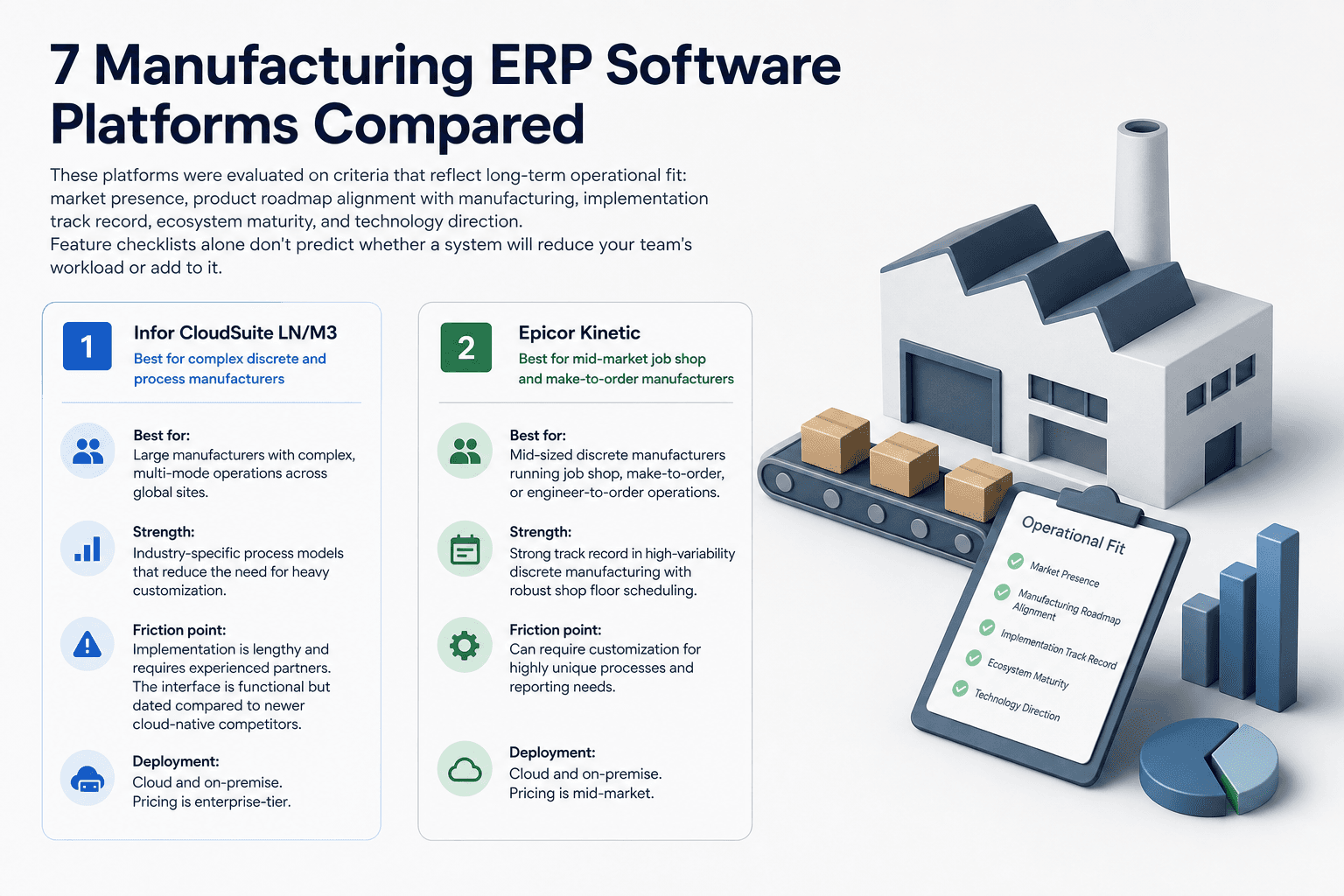
7 Manufacturing ERP Software Platforms Compared
These platforms were evaluated on criteria that reflect long-term operational fit: market presence, product roadmap alignment with manufacturing, implementation track record, ecosystem maturity, and technology direction. Feature checklists alone don't predict whether a system will reduce your team's workload or add to it.
1. Infor CloudSuite LN/M3 — Best for complex discrete and process manufacturers
Best for: Large manufacturers with complex, multi-mode operations across global sites.
Infor CloudSuite LN and M3 are purpose-built for manufacturing in ways that general-purpose ERP platforms are not. LN handles high-complexity discrete manufacturing well, while M3 is stronger for process industries including food and chemicals. Both offer deep supply chain planning and multi-plant visibility. The platform's strength is its industry-specific process models, which reduce the need for heavy customization.
Friction point: Implementation is lengthy and requires experienced partners. The interface is functional but dated compared to newer cloud-native competitors.
Deployment: Cloud and on-premise. Pricing is enterprise-tier.
2. Epicor Kinetic — Best for mid-market job shop and make-to-order manufacturers
Best for: Mid-sized discrete manufacturers running job shop, make-to-order, or engineer-to-order operations.
Epicor Kinetic has a strong track record in discrete manufacturing environments where production variability is high. Its shop floor scheduling, quoting, and job costing tools are built for manufacturers that handle custom orders rather than high-volume repetitive runs. The cloud-based ERP software version has modernized the UI significantly from earlier Epicor releases.
Friction point: Process manufacturing support is limited. Companies in food, chemical, or batch environments will find the fit poor.
Deployment: Cloud-first. Mid-market pricing.
3. SAP S/4HANA — Best for large enterprises with multi-plant global operations
Best for: Large enterprises managing multi-country operations, complex compliance requirements, and high transaction volumes.
SAP S/4HANA remains the most recognized ERP system software at enterprise scale. Its supply chain, financial, and procurement modules are deeply integrated, and its partner ecosystem is the largest in the market. For manufacturers with operations across multiple countries, the multi-currency, multi-language, and regulatory compliance depth is difficult to match.
Friction point: Implementation costs and timelines are significant. SAP requires substantial internal resources and experienced partners to run effectively. It is not suited for SMBs.
Deployment: Cloud and on-premise. Enterprise pricing.
4. Microsoft Dynamics 365 F&O — Best for manufacturers already in the Microsoft ecosystem
Best for: Mid-to-large manufacturers already using Microsoft 365, Azure, or Power Platform tools.
Dynamics 365 Finance and Operations reduces integration friction for teams already inside the Microsoft environment. Its manufacturing modules cover production orders, capacity planning, and warehouse management. The Power Platform connection allows operations teams to build custom dashboards and automation without heavy IT involvement.
Friction point: Manufacturing-specific depth is narrower than Epicor or Infor for complex production environments. Teams with highly specialized manufacturing workflows report needing significant customization.
Deployment: Cloud-first. Mid-to-enterprise pricing.
5. Sage X3 — Best for mid-sized process and food manufacturing operations
Best for: Mid-sized manufacturers in food production, chemicals, and pharmaceuticals.
Sage software solutions have a strong foothold in process manufacturing, and Sage X3 is the most capable platform in that portfolio for manufacturing operations. Its batch traceability, formula management, and regulatory compliance tools are well-suited to food manufacturing ERP software requirements and ERP software for chemical industry needs. Implementation timelines are shorter than SAP or Infor at comparable operational complexity.
Friction point: Sage X3 has less depth in discrete manufacturing. Companies running mixed-mode operations may find the fit uneven.
Deployment: Cloud and on-premise. Mid-market pricing.
6. Acumatica — Best for growing manufacturers needing flexible cloud ERP
Best for: Small-to-mid-market manufacturers that need modern cloud ERP without enterprise-level cost or complexity.
Acumatica's licensing model is consumption-based rather than per-seat, which makes it easier to scale without cost spikes tied to headcount. Its manufacturing module covers production orders, material requirements planning, and inventory management. The platform integrates well with third-party tools, which benefits teams with existing software investments.
Friction point: Acumatica lacks the deep industry-specific modules that Epicor or Infor offer for specialized manufacturing environments. It works best for general discrete manufacturing rather than highly regulated or process-intensive operations.
Deployment: Cloud-native. SMB to mid-market pricing.
7. ERPNext — Best for budget-conscious manufacturers open to open-source
Best for: Small manufacturers, startups, and operations in cost-sensitive markets.
ERPNext is open-source and free to use, with costs limited to hosting, implementation, and support. It covers core manufacturing functions including bills of materials, work orders, and inventory management. ERPNext has a strong user base in India and other emerging markets, making it a practical choice when evaluating ERP software in India or manufacturing ERP software India deployments. The community is active, and the platform improves regularly.
Friction point: ERPNext requires technical resources to implement and customize. Enterprise-scale manufacturing complexity, multi-plant operations, and deep supply chain integration are beyond its native capability.
Deployment: Cloud and self-hosted. Open-source with implementation costs.
Where Manufacturing ERP Software Falls Short for Operations Teams
Every platform on this list centralizes data better than disconnected spreadsheets and legacy systems. None of them fully eliminates the manual coordination layer that ops teams carry every day.
The handoff problem ERP doesn't solve: approvals, exceptions, and escalations
Three workflow types consistently remain manual even after ERP implementation. Multi-step purchase order approval chains still require someone to chase approvals across departments when a step stalls. Supplier exception management, such as responding to a late delivery or a quality hold, depends on a human identifying the issue, contacting the supplier, and updating the relevant teams. Cross-department data reconciliation between finance, procurement, and operations still happens in email threads and spreadsheets, even when all three teams are technically on the same ERP. These gaps exist not because ERP systems are poorly designed, but because they are record-keeping systems, not coordination systems.
Why more data visibility doesn't mean less manual work
ERP systems surface the data. They don't act on it. When an inventory exception fires at 11pm or a supplier pushes back on a delivery date, the system logs the event. A person still has to decide what to do, contact the right stakeholders, and follow through. This is where the manual workload accumulates for operations teams, and it's the gap that process mismatches and poor planning consistently leave open.
This is the problem Predflow was built for. Rather than replacing your ERP, Predflow maps the workflows that run on top of it, including PO approvals, supplier follow-ups, and inventory exception alerts, and deploys AI agents that handle those steps end-to-end. Human oversight is built in for edge cases, so the process keeps moving without requiring someone to monitor every handoff manually.
How to Choose the Right Manufacturing ERP Software for Your Operation
Selecting the wrong ERP is almost always a fit problem, not a feature problem. The most common mistake is buying on capabilities rather than alignment with how your operation actually runs.
Step 1: Match your manufacturing mode to the right platform tier
Start with your manufacturing mode from the framework above: discrete, process, or mixed. Discrete manufacturers running job shop or make-to-order operations should evaluate Epicor Kinetic or Acumatica first. Process manufacturers in food, chemical, or pharma should start with Sage X3 or Infor CloudSuite. Large enterprises with both modes across multiple plants need SAP S/4HANA or Infor LN. Skipping this step leads to selecting a platform that requires heavy customization to fit your production model, which adds cost and extends timelines.
Step 2: Audit your existing stack before committing to a vendor
Suite-centric ERP platforms often bundle pre-integrated applications like quality management, MES, and supply chain planning tools. This creates standardization advantages, but it also introduces constraints if your operation relies on customized workflows or external engineering systems that don't align with the ERP vendor's architecture. List every system your team touches daily before vendor conversations begin. Identify which ones must integrate on day one versus which can be replaced. This audit prevents the most expensive surprises during implementation.
Step 3: Evaluate the implementation partner, not just the software
The ERP vendor sells the software. The implementation partner determines whether it works for your operation. Ask vendors directly for implementation win rates in your industry and manufacturing mode. Ask for references from companies at your size and complexity level. A strong software platform with a weak implementation partner produces the same fragmentation problem you were trying to solve. The ERP software development company or partner doing the deployment is as important as the platform itself.
The right ERP reduces fragmentation, but only if it fits how your operation actually runs.
Frequently Asked Questions
What is the best ERP software for small manufacturers?
Acumatica and ERPNext are the strongest options for small manufacturers. Acumatica offers modern cloud ERP with flexible, consumption-based pricing that scales without per-seat cost spikes. ERPNext is open-source and suits very budget-conscious operations, particularly in markets like India, though it requires technical resources to implement and maintain.
What is the difference between cloud ERP and on-premise ERP for manufacturing?
Cloud ERP software is hosted and maintained by the vendor, reducing upfront infrastructure investment and enabling faster deployment. On-premise ERP runs on your own servers, giving you more control over data, customization, and update timing. Cloud-based ERP software suits most growing manufacturers. On-premise is more common in regulated industries or operations with strict data sovereignty requirements.
How long does it take to implement manufacturing ERP software?
Implementation timelines vary significantly by platform and company complexity. Small manufacturers using Acumatica or ERPNext can go live in three to six months. Mid-market implementations with Epicor Kinetic or Sage X3 typically run six to twelve months. Enterprise deployments of SAP S/4HANA or Infor CloudSuite often take twelve to twenty-four months, particularly across multi-plant environments.
Can ERP software manage the full supply chain for manufacturers?
ERP software for supply chain management handles procurement, inventory, production scheduling, and order fulfillment within a single system. However, most platforms have limitations in supplier collaboration, real-time logistics tracking, and exception handling outside the system's native environment. Deeper ERP supply chain software capabilities often require additional modules or third-party integrations to cover the full chain end-to-end.
What does ERP stand for in manufacturing software?
ERP full form in software is Enterprise Resource Planning. In manufacturing, it refers to a platform that integrates core business functions including production, procurement, inventory, finance, and sales into one connected system so teams can operate from a single source of accurate data.
Conclusion
Three reader profiles leave this article with different next steps.
If you run a mid-market discrete manufacturing operation and need a proven platform, Epicor Kinetic and Acumatica are the right starting points. Both are built for your production model and scale without requiring enterprise-level implementation budgets. If you lead operations across multiple global plants, SAP S/4HANA and Infor CloudSuite LN are the platforms with the depth and ecosystem maturity to match that complexity.
If your team has already selected an ERP but still spends hours on manual approvals, supplier follow-ups, and cross-system reconciliation, the ERP is not the problem. The coordination layer on top of it is.
If your team is already running an ERP but still spending hours on manual approvals, exception handling, or cross-system reconciliation, that's not an ERP problem. It's a workflow automation problem. See how Predflow builds AI agents that run on top of your existing systems.
Bring 20 NetSuite bills to a 30-minute teardown
We will walk your actual invoices through capture, 3-way match and posting on the call, and tell you which steps an agent can take over. No prep beyond the PDFs.
FAQ
Frequently asked questions
What exactly is an AI agent
An AI agent is an autonomous system designed to handle specific business tasks end-to-end. Unlike simple chatbots, AI agents can reason, take actions, integrate with tools, and follow defined workflows.