Supply Chain
ERPNext for Supply Chain Teams: Modules, Setup, and Key Workflows
Three spreadsheets, two disconnected systems, one supplier invoice lost in an inbox — sound familiar? Here's how ERPNext gives supply chain teams a single source of truth.

Khushbu Adav
Product, Predflow

It is Friday afternoon and your supply chain manager is reconciling three spreadsheets because the purchase order logged in one system never updated the inventory count in another. The goods receipt happened on Wednesday. The finance team does not know. The supplier invoice is sitting in an email inbox. Nobody has a complete picture, and nobody is at fault. The tools just do not talk to each other.
That is the exact problem ERPNext is built to solve. It connects purchasing, inventory, warehousing, and fulfillment inside a single system so that one transaction updates every dependent record automatically. No manual handoffs. No audit trail gaps. No Friday reconciliation sprint.
This guide covers the ERPNext modules that matter for supply chain teams, how to configure them in the right sequence, and which workflows remove the manual coordination your team is still doing today.
What ERPNext Actually Does for Supply Chain Operations
Supply chain managers do not need another tool that tracks data in isolation. They need a system where a purchase order, a stock receipt, and a supplier invoice are all connected and update each other in real time. ERPNext is built around that connection.
The erp full form in software is Enterprise Resource Planning, and ERPNext delivers that by treating supply chain operations as a single connected workflow rather than separate departmental functions.
The modules that connect purchasing, inventory, and fulfillment
ERPNext links five core modules that supply chain teams use daily: Purchasing, Inventory, Manufacturing, Sales, and Accounts Payable. A purchase order created in the Purchasing module automatically ties to an expected stock receipt in Inventory. When goods arrive, the receipt updates the stock ledger and triggers the payable entry in Accounts. No separate data entry required at each step.
This is where ERPNext differs from erp software examples that operate as point solutions. A standalone inventory tool tracks stock. An erp system software like ERPNext tracks stock and connects it to the order that created the movement and the invoice that needs to be paid.
How ERPNext differs from standalone inventory or procurement tools
Standalone tools give you visibility into one function. ERPNext gives you visibility across functions. When a reorder rule triggers a purchase order, that PO is linked to the supplier record, the item master, the warehouse destination, and the approval workflow. Every team member working downstream sees the same status without asking someone upstream.
The features of erp software that matter most here are document linking, workflow routing, and a shared stock ledger. These erp tools are not extras in ERPNext. They are the default architecture.
Where ERPNext fits in the broader ERP software landscape
ERPNext sits in the open-source tier of the ERP market, which makes it accessible to mid-sized businesses that cannot afford large licensed platforms. It covers the same functional ground as mid-market ERP software examples but with lower licensing costs and deeper customization access.
Supply Chain Pain Point | ERPNext Module That Addresses It |
|---|---|
PO not synced with inventory count | Purchasing + Inventory (linked receipt) |
No supplier lead time tracking | Supplier master in Purchasing module |
Manual goods receipt to stock update | Stock Entry linked to Purchase Receipt |
No visibility into open sales orders | Sales module with delivery status tracking |
Disconnected supplier invoices | Purchase Invoice matched to PO and receipt |
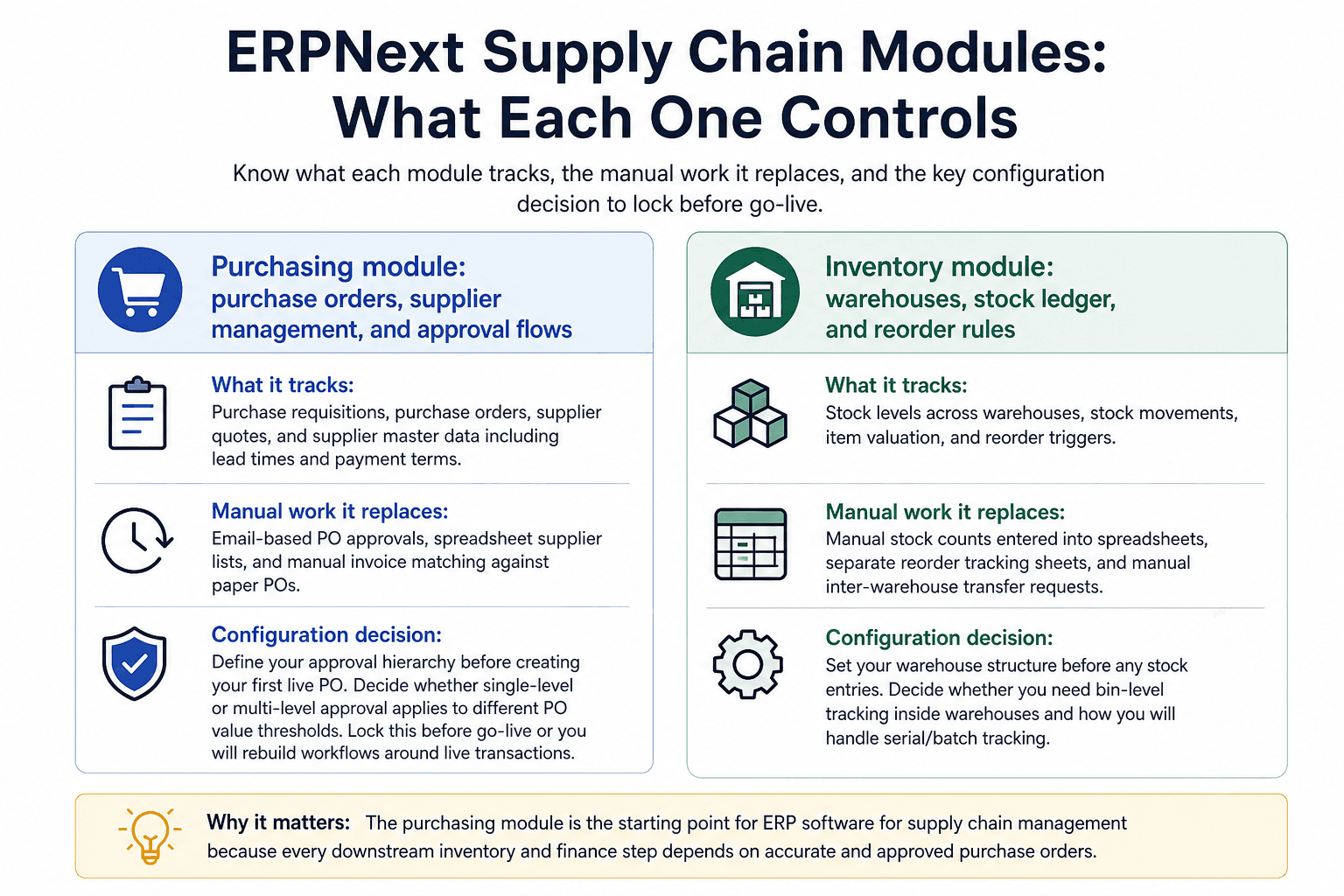
ERPNext Supply Chain Modules: What Each One Controls
Knowing which module to configure first saves weeks of rework. The following breakdown maps each module to what it tracks, what manual work it replaces, and one configuration decision your team must make before go-live.
Purchasing module: purchase orders, supplier management, and approval flows
What it tracks: Purchase requisitions, purchase orders, supplier quotes, and supplier master data including lead times and payment terms.
Manual work it replaces: Email-based PO approvals, spreadsheet supplier lists, and manual invoice matching against paper POs.
Configuration decision: Define your approval hierarchy before creating your first live PO. Decide whether single-level or multi-level approval applies to different PO value thresholds. Lock this before go-live or you will rebuild workflows around live transactions.
This module is the starting point for erp software for supply chain management because every downstream inventory and finance step depends on the purchase order being accurate and approved correctly.
Inventory module: warehouses, stock ledger, and reorder rules
What it tracks: Stock levels across warehouses, stock movements, item valuation, and reorder triggers.
Manual work it replaces: Manual stock counts entered into spreadsheets, separate reorder tracking sheets, and manual inter-warehouse transfer requests.
Configuration decision: Set your warehouse structure before any stock entries. Decide whether you need bin-level tracking inside warehouses or warehouse-level tracking only. Changing this after transactions are posted creates reconciliation problems.
The erp software supply chain advantage here is that every stock movement, whether from a purchase receipt, a production order, or a sales delivery, posts to the same ledger automatically.
Delivery and shipping: sales orders to fulfillment tracking
What it tracks: Sales orders, delivery notes, shipping status, and customer-facing fulfillment timelines.
Manual work it replaces: Manual status updates sent by email, separate spreadsheets tracking open orders versus shipped orders, and disconnected logistics notes.
Configuration decision: Decide whether delivery notes require warehouse staff confirmation before dispatch or whether the sales team can create them directly. This affects who owns the fulfillment step and where errors get caught.
Manufacturing module: production orders and BOM for supply planning
What it tracks: Bills of Materials, production orders, work orders, and raw material consumption against production runs.
Manual work it replaces: Manual BOM lookups to check raw material availability, separate production tracking sheets, and disconnected material requests to the warehouse.
Configuration decision: Build your Bills of Materials before creating any production orders. Errors in BOM structure propagate into every production run and distort your raw material reorder levels.
Accurate master data is the foundation for all of this. A structured go-live approach treats master data configuration, not transaction entry, as the first milestone. Jumping into transactions before supplier records, item masters, and warehouse structures are validated is the single most common reason supply chain ERP projects fail their first month.
How to Set Up ERPNext for Supply Chain: A Step-by-Step Configuration Path
The most common ERPNext setup mistake is skipping the configuration sequence and going straight to transactions. The five steps below follow the correct dependency order.
Step 1: Configure company, fiscal year, and warehouse structure
Set up your company entity, default currency, and fiscal year before touching any other module. Then build your warehouse hierarchy: main warehouse, sub-warehouses, and any transit locations. Every stock entry, purchase receipt, and delivery note will reference this structure.
Common mistake to avoid: Creating warehouses after stock entries have already been posted. Retroactively reassigning stock movements is time-consuming and error-prone.
Step 2: Build supplier and item master data before transactions
Load your supplier records with payment terms, lead times, and default currency. Load your item master with item codes, units of measure, and default warehouse assignments. This is the backbone of erp software design that works. Transactions built on incomplete master data produce incorrect reorder triggers and mismatched invoices.
Common mistake to avoid: Importing item data without validation rules. Inconsistent naming conventions in item codes create duplicate records that corrupt stock ledger reporting.
Step 3: Set up purchase approval workflows and naming series
Define your naming series for purchase orders, invoices, and stock entries before any documents are created. Lock the naming series before go-live. Changes after live documents exist create gaps in audit trails.
Configure your approval workflows to route purchase orders above defined thresholds to the correct approver role. ERPNext handles the routing logic once it is configured, but the approval and exception-handling steps still depend on team members actively monitoring queues. Predflow sits on top of ERPNext as an AI agent layer that automates these handoffs. It routes flagged purchase orders to the right approver, follows up automatically if no action is taken within a defined window, and logs the outcome back into ERPNext without manual intervention. This is the layer between a configured workflow and a workflow that actually runs without oversight.
Common mistake to avoid: Skipping naming series setup and using default sequences. Default sequences do not align with your document numbering policies and create compliance issues in audits.
Step 4: Define reorder levels and stock entry rules
Set minimum stock levels for every item that should trigger an automatic reorder. ERPNext uses these thresholds to generate purchase requisitions automatically when stock drops below the defined level. Define who reviews and converts these requisitions into purchase orders.
Cloud erp software deployments benefit from this step being cloud-accessible by warehouse staff on mobile, so reorder alerts reach the right person regardless of location. Cloud-based erp software also means your reorder rules update in real time across all warehouse locations simultaneously.
Common mistake to avoid: Setting reorder levels without accounting for supplier lead times. A reorder point that does not factor in lead time results in stockouts even when the rule triggers correctly.
Step 5: Test with real transactions before going live
Run your full purchase-to-pay cycle, receive-to-stock flow, and a sales order to delivery note sequence using real item codes, real suppliers, and real warehouse locations. Use actual data, not test placeholders. Errors surface at this stage rather than in production. Retest after any workflow change.
Common mistake to avoid: Testing with dummy data and calling it sufficient. Real data exposes edge cases, such as items with special units of measure or suppliers with multi-currency payment terms, that dummy data does not.
Key ERPNext Workflows That Eliminate Manual Handoffs
ERPNext automation follows a trigger-action-outcome structure. Each workflow below shows what the manual version looks like and what ERPNext does instead.
Purchase-to-pay: from requisition to supplier invoice matching
Manual version: A buyer creates a PO in a spreadsheet, emails it to the supplier, then manually notifies the finance team when goods arrive so they can match the invoice.
ERPNext version: A submitted purchase order triggers a pending receipt entry. When the goods receipt is submitted, ERPNext links it to the original PO and flags it as ready for invoice matching. The finance team sees a pre-matched payable entry with zero separate communication needed. This is the erp software solutions approach that removes the coordination gap between procurement and accounts payable.
Receive-to-stock: goods receipt linked directly to inventory update
Manual version: Warehouse staff log received items in a paper record or spreadsheet, then separately notify the inventory manager to update the stock count.
ERPNext version: When a goods receipt is submitted, ERPNext automatically updates the stock ledger and posts the accounting entry. The inventory count reflects the arrival immediately. No separate step from the warehouse team or the finance team is needed.
Reorder-to-PO: automatic purchase order creation from stock rules
Manual version: An inventory manager checks stock levels manually at the end of each week and emails the procurement team a list of items to reorder.
ERPNext version: When stock drops below the defined reorder level, ERPNext generates a purchase requisition automatically. The procurement team reviews and converts it to a purchase order in one step. This applies directly to manufacturing erp software india deployments where fast-moving raw material management is a daily requirement.
Sales order to delivery note: fulfillment without manual status updates
Manual version: A sales rep creates an order in one system, then emails the warehouse to pick and pack, then manually updates the customer on status.
ERPNext version: A confirmed sales order creates a picking task visible to the warehouse team. When the delivery note is submitted, the stock is decremented, the order status updates, and the invoice can be generated from the same document chain. No status update email required.
ERPNext in Context: How It Compares to Other ERP Options Teams Consider
Choosing an ERP platform is not just a features decision. It is a cost, complexity, and regional fit decision.
ERPNext vs Sage software solutions for mid-market supply chains
Sage software solutions target mid-market businesses with structured finance workflows and established accounting practices. ERPNext covers the same functional ground but offers deeper supply chain module customization at a lower licensing cost. Sage implementations typically involve vendor-led setup. ERPNext gives internal teams more direct configuration access, which suits operations-led businesses that want to own their own workflows.
Factor | ERPNext | Sage |
|---|---|---|
Cost model | Open-source, hosting costs only | Per-seat licensing fees |
Customization depth | High, with direct module access | Moderate, through vendor add-ons |
Implementation complexity | Moderate, requires structured setup | Lower initial setup, higher long-term cost |
Cloud-based ERPNext deployment vs on-premise for distributed teams
Cloud-based erp software deployment for ERPNext means your warehouse, procurement, and finance teams access the same live data regardless of location. On-premise suits businesses with strict data residency requirements or limited internet reliability at warehouse sites. For most distributed supply chain teams, cloud erp software deployment is the faster and more maintainable path.
ERPNext adoption in India, UAE, and Dubai: regional context
ERPNext is widely deployed by erp software companies in india because its open-source model reduces the total cost for businesses operating on tight margins. In the UAE and Dubai, erp software in uae and erp software in dubai adoption has grown notably among trading and distribution businesses where the open-source cost advantage addresses the high implementation costs associated with global ERP vendors.
ERPNext Implementation Mistakes That Delay Supply Chain Teams
Each mistake below has a specific downstream consequence. The corrective action follows each one.
Starting transactions before master data is validated
If item codes, supplier records, or warehouse structures contain errors, every transaction built on them inherits those errors. Reorder rules trigger against wrong items. Invoices fail to match POs. Inventory counts drift from actual stock. Validate all master data against your physical records before the first live transaction.
Skipping workflow testing with real purchase and stock data
Testing with placeholder data does not surface edge cases such as partial receipts, split deliveries, or items with multiple units of measure. Develop test cases that cover these scenarios with your actual supplier and item data. Retest after any workflow configuration change before going live with the updated process.
Over-customizing core modules before understanding defaults
ERPNext's defaults cover most standard supply chain scenarios. Modifying core module behavior before understanding what the defaults handle creates maintenance problems and blocks future version upgrades. Map your requirements to defaults first. Customize only where defaults genuinely do not fit your process.
Under-training warehouse and procurement staff on daily transactions
A well-configured ERPNext system fails if the people entering goods receipts, stock transfers, and purchase orders do not understand the transaction sequence. Create role-specific documentation for warehouse staff and procurement coordinators covering exactly the steps they perform daily. Well-maintained documentation reduces error rates and reduces dependency on IT for routine process questions.
Frequently Asked Questions
What does ERPNext do for supply chain management specifically?
ERPNext connects purchasing, inventory, manufacturing, and fulfillment in a single system so that one transaction updates every dependent record automatically. When a goods receipt is submitted, the stock ledger updates and the payable entry is created without a separate manual step. This removes the manual coordination gaps between procurement, warehouse, and finance teams.
Is ERPNext suitable for small and mid-sized manufacturing companies?
Yes. ERPNext is widely used by small and mid-sized manufacturers because its open-source model keeps licensing costs low and its manufacturing module covers Bills of Materials, production orders, and raw material consumption tracking. The setup requires structured planning, but the platform scales with the business without requiring per-seat license increases.
How long does it take to set up ERPNext for a supply chain team?
A basic supply chain configuration covering purchasing, inventory, and delivery modules typically takes four to eight weeks when master data is prepared in advance and a clear approval workflow is defined before setup begins. Complexity increases with the number of warehouses, item codes, and approval levels involved.
Can ERPNext integrate with other software tools my team already uses?
ERPNext has a REST API and supports integration with third-party tools including payment gateways, shipping platforms, and CRM systems. Integrations require configuration effort and, in some cases, custom development. The platform is designed to reduce the number of separate tools needed, so many teams find that consolidating into ERPNext reduces their integration requirements.
What is the difference between ERPNext cloud and on-premise deployment?
Cloud-based ERPNext is hosted on managed servers and accessible from any location with internet access. On-premise deployment runs on your own infrastructure and gives you full data control but requires your team to manage updates, backups, and security. Cloud deployment is faster to set up and lower in maintenance overhead for most supply chain teams.
How does ERPNext handle purchase approvals and multi-level workflows?
ERPNext allows you to define approval rules based on document type, value thresholds, and user roles. A purchase order above a defined amount can be routed automatically to a senior approver before it can be submitted. The workflow engine tracks status at each stage and blocks the document from proceeding until the required approval is recorded.
Conclusion
You now have a clear picture of what ERPNext does for supply chain operations, how to configure it in the right sequence, and where teams consistently get stuck. The platform handles the routing, the document linking, and the stock ledger updates. That removes most of the Friday-afternoon reconciliation problem.
The question is whether your team has the bandwidth to maintain the workflows and handle the exceptions that ERPNext flags but does not resolve on its own. If your team is still manually following up on open POs, chasing approvers who have not acted, or reconciling data discrepancies after ERPNext is live, that is not a configuration gap. That is a workflow automation gap.
If your team is already on ERPNext but still handling exceptions manually, see how Predflow's AI agents automate the workflows ERPNext routes without replacing the ERP you have already built. Explore Predflow for ERPNext teams.
Bring 20 NetSuite bills to a 30-minute teardown
We will walk your actual invoices through capture, 3-way match and posting on the call, and tell you which steps an agent can take over. No prep beyond the PDFs.
FAQ
Frequently asked questions
What exactly is an AI agent
An AI agent is an autonomous system designed to handle specific business tasks end-to-end. Unlike simple chatbots, AI agents can reason, take actions, integrate with tools, and follow defined workflows.