Supply Chain
7 Best Cloud ERP Software Tools for Supply Chain and Finance Teams
If your finance team is juggling three systems and your supply chain runs on emailed spreadsheets, your ERP is the problem. Here are 7 cloud ERP tools that actually fix it.

Sanya Shah
Co-founder, Predflow

Your finance team is reconciling purchase orders across three different systems. Your supply chain manager is emailing spreadsheets to get a stock update. By the time the numbers align, the decision they were meant to support is already made on stale data.
This is not a workflow problem. It is a systems problem. And picking the wrong fix makes it worse. One of the most common mistakes organizations make is selecting cloud ERP software without a clear understanding of which specific process pain it needs to solve, then wondering why the tool does not deliver what was promised.
This article is not an ERP glossary. It is a decision guide. It maps seven cloud ERP software platforms to the specific operational needs of supply chain and finance teams, so you can build a confident shortlist rather than sit through weeks of unfocused demos.
What Cloud ERP Software Actually Does for Supply Chain and Finance Teams
ERP is not an IT project. It is the operating system your supply chain and finance teams run on every day.
ERP full form in software and why it matters operationally
ERP full form in software is Enterprise Resource Planning. The name matters less than what it means in practice: one shared data layer that connects purchasing, inventory, accounts payable, and fulfillment. When your finance team sees the same order status as your warehouse team, in real time, decisions get faster and errors get fewer.
Core features of ERP software that supply chain and finance teams actually use
The features of ERP software that drive daily value are not always the ones vendors lead with. These five are the ones operations and finance teams return to most:
Inventory tracking: Real-time stock levels across locations, reducing over-ordering and stockouts
Purchase order management: Automated PO creation, approval workflows, and supplier acknowledgment in one place
Accounts payable automation: Invoice matching, payment scheduling, and exception flagging without manual entry
Financial reporting: Live dashboards pulling from the same data as operations, not exported spreadsheets
Demand forecasting: Supply planning based on order history and lead times, not gut feel
Cloud-based vs. on-premise: the deployment trade-off in plain terms
Cloud-based ERP software runs on the vendor's servers and is accessed through a browser. Your team gets updates automatically, and your IT team does not manage the infrastructure. On-premise ERP lives on your own servers, giving you more control but requiring more internal resource to maintain. For most mid-market supply chain and finance teams, cloud-based ERP software reduces time to deployment and ongoing maintenance cost. The trade-off is that deep customization is harder, and you depend on the vendor's uptime.
How to Choose Cloud ERP Software: 4 Decision Criteria That Matter
Most ERP shortlists fail before the demo starts because the criteria are wrong. Here are four filters that cut through the noise.
Industry and process fit: manufacturing, construction, food, chemical
ERP software design is not one-size-fits-all. A construction ERP software handles project costing and subcontractor billing. Manufacturing ERP software tracks bills of materials and shop floor output. Match the platform to your process type first. A system built for discrete manufacturing will frustrate a food manufacturer tracking batch yields and expiry dates.
Integration depth with existing finance and procurement tools
ERP software solutions that cannot connect cleanly to your existing procurement, CRM, or payroll tools create new silos rather than closing old ones. Ask vendors specifically which integrations are native, which require middleware, and what happens when a connected system changes its API.
Scalability: can it grow without forcing you to hire more coordinators
ERP software development has matured to the point where scaling transaction volume should not require adding headcount. If the platform requires manual intervention every time a new supplier, warehouse, or entity is added, it will not scale with your business.
Total cost of ownership beyond the subscription fee
Common mistake: Organizations evaluate cloud ERP on subscription cost alone, then discover implementation, training, customization, and support fees double or triple the original budget. Get a full three-year cost picture before comparing platforms. Clear expectations at the start prevent scope creep and budget shock later.
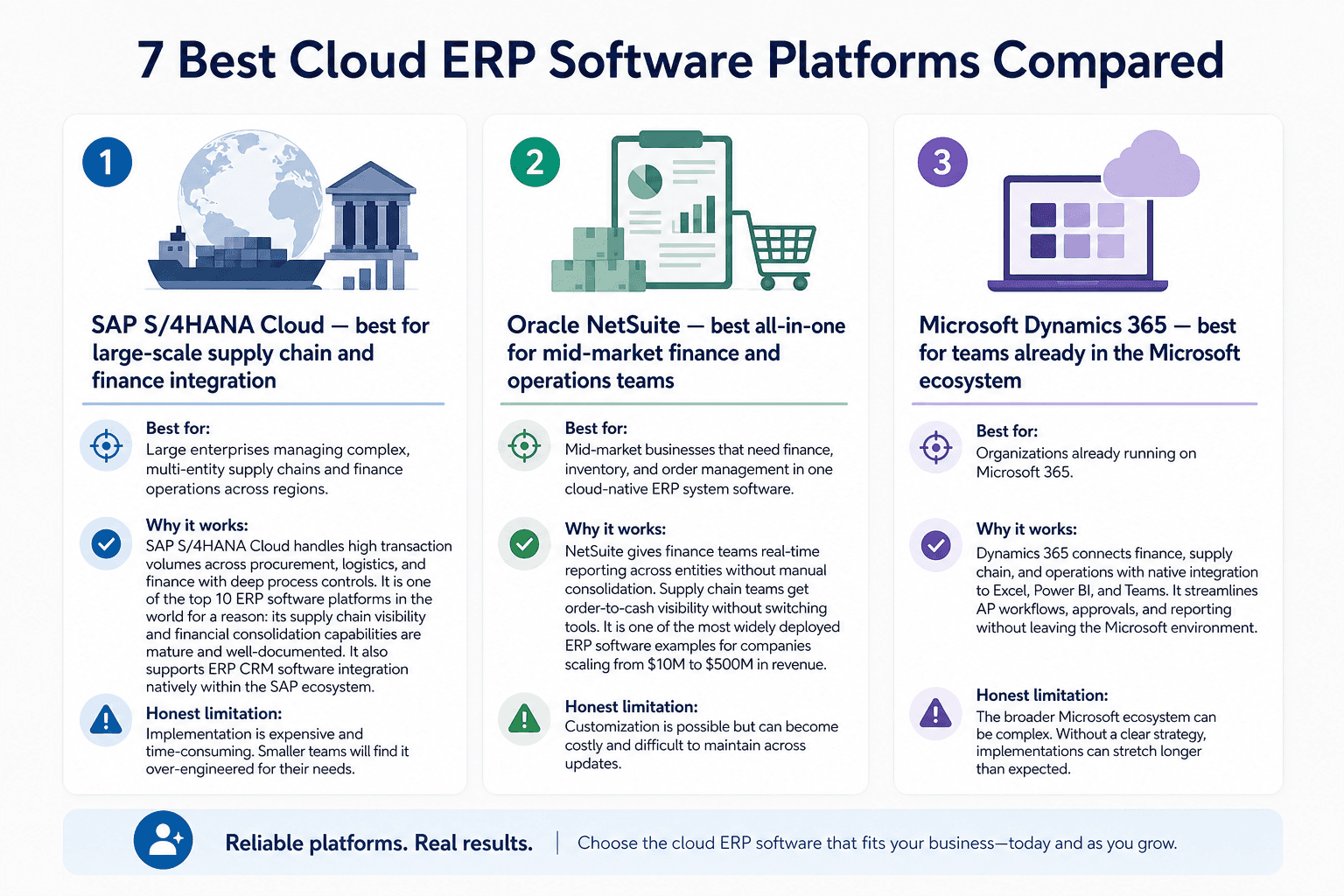
7 Best Cloud ERP Software Platforms Compared
1. SAP S/4HANA Cloud — best for large-scale supply chain and finance integration
Best for: Large enterprises managing complex, multi-entity supply chains and finance operations across regions.
Why it works: SAP S/4HANA Cloud handles high transaction volumes across procurement, logistics, and finance with deep process controls. It is one of the top 10 ERP software platforms in the world for a reason: its supply chain visibility and financial consolidation capabilities are mature and well-documented. It also supports ERP CRM software integration natively within the SAP ecosystem.
Honest limitation: Implementation is expensive and time-consuming. Smaller teams will find it over-engineered for their needs.
2. Oracle NetSuite — best all-in-one for mid-market finance and operations teams
Best for: Mid-market businesses that need finance, inventory, and order management in one cloud-native ERP system software.
Why it works: NetSuite gives finance teams real-time reporting across entities without manual consolidation. Supply chain teams get order-to-cash visibility without switching tools. It is one of the most widely deployed ERP software examples for companies scaling from $10M to $500M in revenue.
Honest limitation: Customization is possible but can become costly and difficult to maintain across updates.
3. Microsoft Dynamics 365 — best for teams already in the Microsoft ecosystem
Best for: Organizations already running on Microsoft 365, Teams, or Azure who want ERP tools that connect without friction.
Why it works: Dynamics 365 integrates tightly with Outlook, Excel, and Power BI, which means finance and supply chain teams can work inside familiar tools while pulling live ERP data. ERP CRM software capabilities are strong through the combined Dynamics Sales and Finance modules.
Honest limitation: Licensing structure is complex, and costs can escalate quickly as module usage grows.
4. Sage software solutions — best for SMBs in services and distribution
Best for: Small and mid-sized businesses in distribution, professional services, or light manufacturing that need reliable financials without enterprise complexity.
Why it works: Sage software solutions prioritize accounting and cash flow management, which is what most SMB finance teams need first. The interface is approachable, and the ERP supply chain software features cover purchasing and basic inventory without overwhelming smaller teams.
Honest limitation: It is not built for complex manufacturing workflows or high-volume supply chain operations.
5. Odoo — best open-source option for cost-conscious growing businesses
Best for: Growing businesses that want modular ERP software solutions and are comfortable with some internal technical resource.
Why it works: Odoo's modular design lets you start with finance or inventory and add manufacturing, purchasing, or CRM as needed. It is one of the more flexible ERP software examples for teams that want to build incrementally. It also has a strong presence as ERP software in India and similar cost-sensitive markets.
Honest limitation: Open-source flexibility comes with a maintenance burden. Without a capable implementation partner, customizations can create upgrade problems.
6. Epicor Kinetic — best for process manufacturing and food manufacturing ERP
Best for: Process manufacturers, including food manufacturing ERP software users and chemical producers, who need batch tracking, compliance, and recipe management.
Why it works: Epicor Kinetic is built around the realities of process manufacturing ERP: variable inputs, yield tracking, quality control, and regulatory compliance. Food manufacturers get traceability from raw ingredient to finished product. Chemical industry users get formula and hazardous materials handling built into the workflow.
Honest limitation: Its UI has improved but still has a learning curve that can slow onboarding for non-technical teams.
7. ERPNext — best lightweight cloud ERP for India and UAE markets
Best for: Small to mid-sized businesses in ERP software in India or ERP software in UAE and Dubai markets looking for a cost-effective, open-source cloud ERP.
Why it works: ERPNext covers accounting, purchasing, inventory, and HR in a single platform at a fraction of enterprise ERP cost. It has strong localization for GST in India and VAT compliance for ERP software in Dubai and the UAE. Manufacturing ERP software India deployments are increasingly using ERPNext as an affordable starting point.
Honest limitation: It lacks the depth of enterprise platforms for complex, multi-entity supply chain operations.
What Cloud ERP Software Still Cannot Do on Its Own
ERP software centralizes your data. It does not eliminate the work that happens between the data and the decision.
The gap between ERP data and automated action
Your ERP system software knows a purchase order is overdue. It does not automatically chase the supplier, update the finance team, flag the production schedule, and log the exception. Someone still has to do that. ERP automation within most platforms handles structured, predictable workflows well. It breaks down when exceptions, approvals, and cross-system handoffs get involved.
Where manual handoffs still survive inside ERP-heavy organizations
Even organizations running mature ERP systems report that finance teams still manually match invoices to receipts when the PO has three-way matching errors. Supply chain coordinators still email vendors for confirmations that the ERP requested but never tracked. These are not ERP failures. They are the edges of what ERP was designed to handle.
Why ERP automation requires a layer above the ERP itself
Cloud ERP software was built to store and structure data. It was not built to act on that data autonomously when conditions change. Organizations that treat ERP as the complete solution end up building manual coordination processes around it, often reintroducing the same inefficiencies they bought the ERP to eliminate.
This is exactly the problem Predflow was built for. Rather than replacing your ERP, Predflow builds AI agents that sit above your existing systems, reading ERP data, triggering actions, handling edge cases, and escalating to humans only when judgment is required. Teams using Predflow stop babysitting their ERP and start trusting the process.
Which Cloud ERP Software Is Right for Your Industry?
Use this as a quick-reference to confirm or redirect your shortlist.
Cloud ERP for supply chain and logistics teams
Oracle NetSuite and SAP S/4HANA Cloud are the strongest choices for ERP software for supply chain management at scale. NetSuite suits mid-market logistics operations; SAP handles global, multi-node supply chains with deep ERP supply chain software capabilities.
ERP software for manufacturing: process and discrete
For discrete manufacturing ERP software, Microsoft Dynamics 365 and SAP S/4HANA Cloud are reliable choices. For process manufacturing ERP, Epicor Kinetic leads. It handles the batch, yield, and compliance requirements that discrete-focused platforms do not handle natively.
Construction ERP software: what to prioritize
Construction ERP software needs project costing, subcontractor management, and progress billing. Microsoft Dynamics 365 handles this well within its project operations module. SAP S/4HANA is an option for large construction firms with complex financial structures.
ERP software for chemical industry and food manufacturing
Epicor Kinetic is the strongest fit for both. ERP software for the chemical industry requires formula management, hazardous materials tracking, and batch genealogy. Food manufacturing ERP software needs the same traceability with added shelf-life and recall management. Epicor covers both without requiring heavy customization.
ERP software in India and UAE: regional considerations
For ERP software in India, Odoo and ERPNext both offer GST-compliant modules with local implementation support. For ERP software in UAE and ERP software in Dubai, ERPNext provides VAT localization at accessible pricing. Larger enterprises in these regions often use SAP or Oracle with regional configuration.
(Education ERP software is a separate category focused on student lifecycle management and academic administration. It falls outside supply chain and finance use cases, but platforms like Odoo offer education-specific modules for institutions exploring ERP automation.)
Frequently Asked Questions
What is cloud ERP software and how is it different from on-premise ERP?
Cloud ERP software is an enterprise resource planning system hosted on the vendor's servers and accessed through a web browser. On-premise ERP is installed on your own servers and managed by your internal IT team. Cloud-based ERP software reduces upfront infrastructure cost and delivers automatic updates, while on-premise gives organizations more control over data and customization.
Which cloud ERP software is best for small and mid-sized manufacturing businesses?
Odoo and ERPNext are strong starting points for cost-conscious small businesses. Epicor Kinetic suits mid-sized process manufacturers. Microsoft Dynamics 365 works well for mid-market discrete manufacturers already using Microsoft tools. The right choice depends on whether you need process or discrete manufacturing capabilities.
What are the main features of ERP software that supply chain teams rely on?
Supply chain teams depend most on real-time inventory tracking, purchase order management, supplier communication, demand forecasting, and shipment visibility. The features of ERP software that create the most daily value are the ones that reduce manual lookups and give operations teams a single source of truth for order status.
How long does it take to implement cloud-based ERP software?
Implementation timelines vary widely based on company size, complexity, and how much customization is required. A focused mid-market deployment can take three to six months. Enterprise implementations with multiple entities, custom integrations, and data migration often take twelve months or more. Scoping the implementation realistically before signing a contract prevents timeline and budget surprises.
Can cloud ERP software integrate with existing CRM and procurement tools?
Most leading cloud ERP platforms offer native integrations with common CRM and procurement tools. SAP, Oracle, and Microsoft Dynamics 365 have broad integration libraries. Odoo and ERPNext support integrations through open APIs. The depth and reliability of those integrations vary, so it is worth testing specific connection points during the evaluation process rather than assuming compatibility.
What to Do Next
If you have identified one or two platforms from this guide, the next step is a scoped demo focused on your actual supply chain or finance workflow. Not a general product tour. Bring a real process, a real exception scenario, and specific questions about integration with your existing tools.
If you are still deciding whether ERP alone is enough, ask yourself this: is your team spending more time managing the ERP than benefiting from it? If exceptions, approvals, and cross-system follow-ups are still landing on someone's to-do list, the platform is not the problem. The process automation layer around it is. The right cloud ERP software does not replace good process thinking. It depends on it.
If your team is running on a solid ERP but still drowning in manual follow-ups and exception handling, see how Predflow automates the workflows your ERP was never designed to handle. Explore Predflow →
Bring 20 NetSuite bills to a 30-minute teardown
We will walk your actual invoices through capture, 3-way match and posting on the call, and tell you which steps an agent can take over. No prep beyond the PDFs.
FAQ
Frequently asked questions
What exactly is an AI agent
An AI agent is an autonomous system designed to handle specific business tasks end-to-end. Unlike simple chatbots, AI agents can reason, take actions, integrate with tools, and follow defined workflows.