Finance
Accounts Receivable and Cash Application Automation: 7 Platforms Compared for US Finance Teams
Not all AR automation tools handle the hard stuff. Compare 7 platforms US finance teams actually use in 2026 and find one that tackles exceptions too.

Gautam Borad
Founder at Predflow

Here is the trap many finance teams fall into: they buy an AR automation tool, the easy invoices process smoothly, and two people still spend every morning manually reconciling exceptions. The tool handled 80% of the volume and none of the complexity.
As invoice volumes rise and payment methods multiply, automating AR has become table stakes. The difference between teams that see real DSO reduction and teams that just shift manual work around usually comes down to one decision made early. They chose a platform based on demo polish rather than how it handles edge cases and ERP sync.
This guide cuts through vendor marketing. Each platform below is evaluated on the capabilities that matter in production, not in a sales call. By the end, you will know which tool fits your operation size, ERP stack, and exception volume.
What to Demand From AR Automation Software Before You Compare Vendors
Most AR automation platforms look capable in a demo. The gaps show up three months after go-live. Use these five criteria to disqualify weak platforms before you ever request a trial.
Your pre-evaluation checklist:
End-to-end order to cash process coverage vs. point solution
Native three way match accounts receivable (not a third-party add-on)
Real-time ERP sync vs. nightly batch exports
Structured exception handling with human escalation paths
Workflow configurability beyond out-of-the-box defaults
End-to-end order to cash process coverage vs. point solutions
A point solution handles invoicing or collections. A platform that covers the order to cash business process handles the handoffs too. If your manual work lives between systems, a point solution will not fix it.
Three way match accounts receivable: why it must be native, not bolted on
Three way match in AR means automatically reconciling a purchase order, receipt, and invoice before posting payment. When this is a native capability, it runs continuously. When it is bolted on through a third-party integration, it creates its own reconciliation lag and error surface.
ERP integration depth: real-time sync vs. nightly batch exports
A nightly sync means your AR team works on yesterday’s data all morning. For operations with high transaction volume or multi-entity structures, this creates cascading errors. Demand real-time or near-real-time sync from your ERP.
Exception handling and human-in-the-loop escalation paths
Exceptions are where AR automation either earns or loses its value. Every platform processes clean invoices. Ask specifically how each tool surfaces exceptions, who gets notified, and how a human resolves and closes the loop without re-entering data.
Configurability: out-of-the-box settings vs. workflow customization
One of the most common post-implementation failures is leaving automation on default settings. Every business has quirks in how it handles billing, collections sequences, and dispute management. A platform that cannot be configured to your actual process will automate the wrong workflow at scale. If your customer records or invoice data are stale going in, the automation will propagate those errors across every invoice it touches.
How AR Automation Fits Into the Broader Order to Cash Process
AR automation solves a specific slice of a larger problem. Understanding where it sits prevents scope mismatch when you pick a platform.
The six stages of the order to cash process and where AR lives
Order management
Credit management
Order fulfillment
Invoicing and billing
Accounts receivable and cash application (where AR automation lives)
Reporting and reconciliation
AR automation natively covers stages 4 and 5. The handoff points between stage 1 and stage 4 are where manual work accumulates in most operations. Most vendor demo videos show clean invoice processing but skip those upstream handoffs entirely.
When AR automation alone is enough vs. when you need order to cash automation software
If your exceptions originate inside the invoice queue, a dedicated AR tool handles it. If your exceptions originate from order management errors, mismatched POs, or broken cross-system handoffs, you need order to cash automation software that covers the full cycle. Buying an AR tool when the problem is upstream is the most common scope mismatch finance teams make. Before committing to a platform, trace one recurring exception back to its source. If it starts before the invoice, your evaluation criteria just expanded.
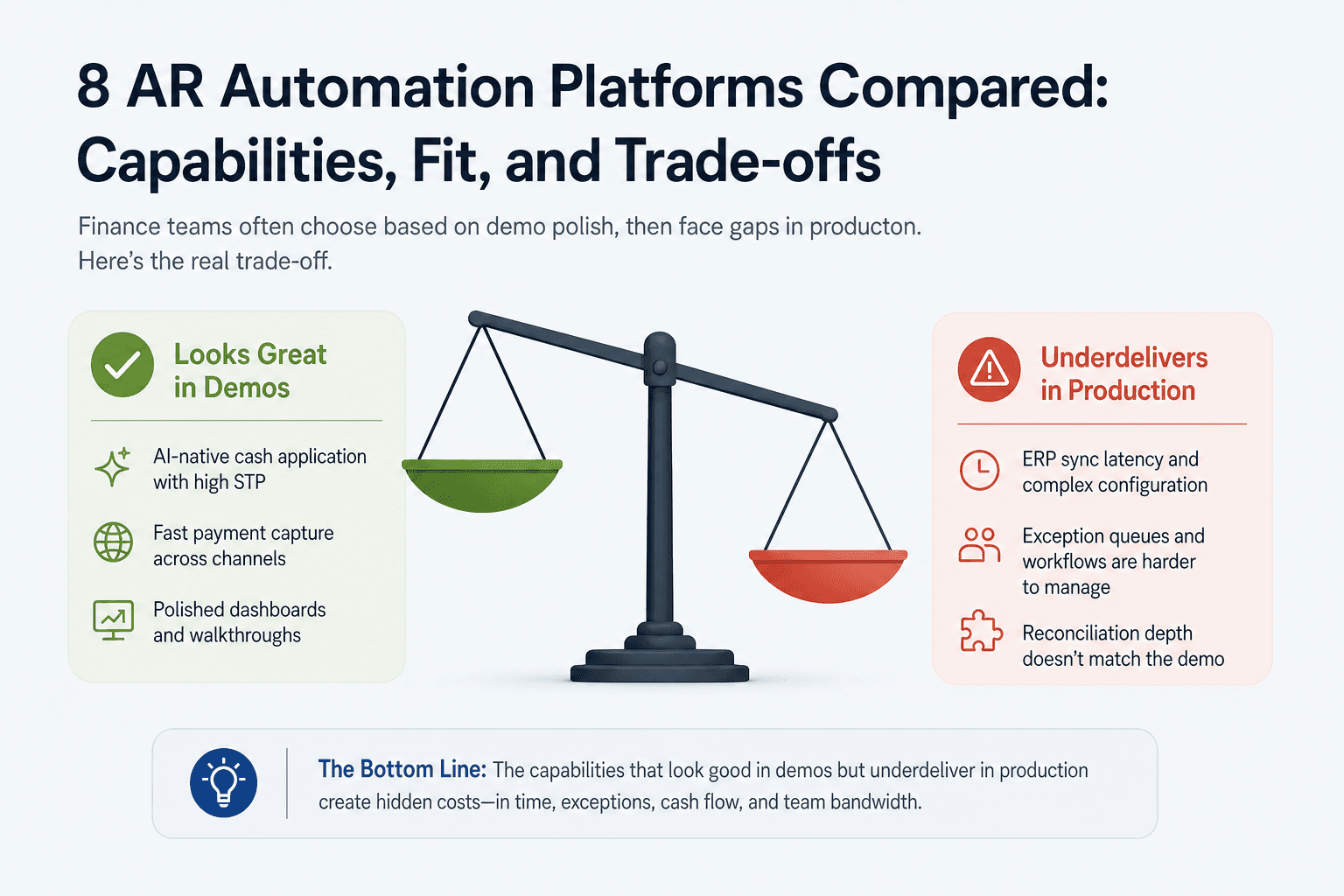
7 AR Automation Platforms Compared: Capabilities, Fit, and Trade-offs
Finance teams on accounting forums consistently flag the same regret: choosing a tool based on demo polish rather than production performance. For each platform below, the known production gaps are flagged alongside the strengths. This is what the capability that looks good in demos but underdelivers in live environments actually costs you.
1. HighRadius — Best for large enterprise AR with AI-native cash application
Standout capability: AI-native cash application with high straight-through processing rates across complex remittance formats, including unstructured remittances via email.
Known limitation: YouTube walkthroughs of HighRadius demos highlight strong cash application visuals but routinely gloss over ERP sync latency and exception queue management. In production, ERP sync configuration requires significant IT involvement.
Ideal profile: Enterprise teams with dedicated IT resources, high invoice volume, and SAP or Oracle ERP environments.
2. Billtrust — Best for B2B networks and payment portal depth
Standout capability: Strong B2B payment network with buyer-side portal adoption, reducing payment friction for customers who pay through multiple channels.
Known limitation: Similar to HighRadius, Billtrust demos emphasize payment capture speed. Exception handling workflows and ERP reconciliation depth are less polished than the core payment experience.
Ideal profile: Mid-market to enterprise B2B businesses with diverse customer payment methods and volume-driven collections needs.
3. Order.co — Best for procurement-linked AR in mid-market
Standout capability: Native procurement-to-payment linkage makes it useful for operations where AR and procurement share data dependencies.
Known limitation: AR-specific depth is narrower than dedicated AR platforms. Three way match accounts receivable functionality is more procurement-oriented than AR-first.
Ideal profile: Mid-market operations that manage both procurement and AR in a unified workflow and do not need heavy collections automation.
4. Versapay — Best for collaborative AR and customer self-service
Standout capability: Collaborative AR portal lets customers view invoices, flag disputes, and initiate payments in a shared workspace, reducing back-and-forth email volume significantly.
Known limitation: Best value is realized when customers actually adopt the portal. Low customer adoption rates make this tool expensive relative to simpler alternatives.
Ideal profile: B2B businesses with established customer relationships and willingness to run a change management process for customer-facing tools.
5. Quadient AR (YayPay) — Best for SMB to mid-market with CRM integration
Standout capability: CRM-connected AR means collections outreach is coordinated with sales activity, preventing situations where a collector contacts a customer who is mid-negotiation with a sales rep.
Known limitation: Configuration depth is more limited than enterprise platforms. Complex exception workflows require workarounds.
Ideal profile: SMB to mid-market teams on NetSuite or Salesforce who want automated collections sequences without enterprise-level complexity.
6. Tesorio — Best for cash flow forecasting alongside AR automation
Standout capability: Combines cash application automation with cash flow forecasting, giving finance leaders visibility into expected collections alongside open AR.
Known limitation: Collections workflow automation is less mature than platforms purpose-built for high-volume collections management.
Ideal profile: Finance teams where the CFO or VP Finance is the primary user and cash flow visibility is as important as collections efficiency.
7. Gaviti — Best for collections-heavy AR workflows on a budget
Standout capability: Collections workflow automation with configurable escalation sequences, dunning management, and dispute tracking without enterprise pricing.
Known limitation: Cash application automation and ERP integration depth are limited compared to HighRadius or Billtrust. Works best as a collections layer on top of an existing ERP.
Ideal profile: SMB and lower mid-market teams whose primary AR pain is collections follow-up, not cash application complexity.
AR Automation Implementation: The Three Mistakes That Kill ROI Before You Go Live
Choosing the right platform is only half the decision. Implementation failures are predictable and preventable.
Mistake 1: Automating before cleaning your customer and invoice data
If your customer records are stale, automation propagates those errors across every invoice it touches. Before any platform goes live, audit customer master data, payment terms, and open invoice accuracy. The fix is a data quality sprint before configuration begins, not after the first failed match.
Mistake 2: Skipping stakeholder alignment across sales, ops, and finance
AR automation changes customer-facing touchpoints, including invoice format, payment options, and collections communications. Sales and customer service teams who are not briefed become the first point of complaint when customers raise questions. Assign a cross-functional sponsor before go-live, not after the first escalation.
Mistake 3: Leaving automation on default settings instead of mapping your actual process
Every AR automation platform ships with default dunning sequences, match thresholds, and escalation rules. Those defaults are built for an average business, not yours. Map your actual collections sequence, dispute resolution path, and ERP posting rules before configuring the tool. Automation on the wrong workflow runs faster in the wrong direction.
Which AR Automation Platform Is Right for Your Team Size and ERP Stack?
The right AR automation software depends on three variables: your ERP, your transaction volume, and where your exceptions originate. Match all three before shortlisting.
SMB teams on QuickBooks or NetSuite
Quadient AR and Gaviti both offer native QuickBooks and NetSuite integration. This matters because AR tools that run in silos from QuickBooks create reconciliation problems fast. Invoices marked paid in the AR system may not close in QuickBooks, creating duplicate entries and extra manual work. Prioritize native sync over API workarounds.
Mid-market teams on SAP or Microsoft Dynamics
Billtrust and Versapay both support SAP and Microsoft Dynamics environments with configurable integration options. Versapay is the better choice if customer self-service adoption is a strategic goal. Billtrust fits better for high-volume B2B payment processing with less focus on customer portal adoption.
Enterprise or multi-entity operations with complex order to cash workflows
HighRadius is the category leader for large enterprise environments with dedicated IT support. For multi-entity operations where AR is one process inside a broader order to cash workflow, evaluate whether an AR-specific tool solves enough of the problem. At that complexity level, the handoff points between order management and AR are where most manual work accumulates.
Frequently Asked Questions
What is AR automation and how does it differ from full order to cash automation?
AR automation handles the invoicing, cash application, collections, and reconciliation stages of the revenue cycle. Order to cash automation covers the full cycle from order creation through payment collection, including order management, credit checks, and fulfillment. AR automation solves problems inside the invoice queue. Order to cash automation solves problems that include upstream handoffs between sales, operations, and finance systems.
How long does it take to implement accounts receivable automation software?
Implementation timelines range from four weeks for SMB tools like Gaviti to six to nine months for enterprise platforms like HighRadius with deep ERP configuration. The biggest driver of timeline is data readiness. Teams that begin with clean customer master data and mapped workflows consistently go live faster than teams that discover data problems during configuration.
What is three way match in accounts receivable and which platforms support it natively?
Three way match in accounts receivable means automatically reconciling a purchase order, a goods receipt, and a supplier invoice before posting a payment. HighRadius and Billtrust support this natively within their cash application modules. Other platforms handle it through ERP-side rules rather than within the AR tool itself, which adds reconciliation steps.
Can AR automation software integrate with QuickBooks or NetSuite out of the box?
Quadient AR and Gaviti both offer out-of-the-box QuickBooks and NetSuite connectors. HighRadius and Billtrust require more configuration for QuickBooks environments and are better suited to SAP or Oracle. Always verify whether the integration is a native sync or a file-based export. File-based exports create the reconciliation gaps that generate manual correction work.
How do I measure ROI from AR automation — what KPIs should I track?
The four primary KPIs are Days Sales Outstanding (DSO), straight-through processing rate for cash application, percentage of invoices disputed, and collections staff hours per invoice processed. DSO reduction is the headline metric for leadership. Straight-through processing rate is the most direct measure of automation effectiveness in cash application. Dispute rate tracks invoice accuracy, which is upstream of AR but directly affects AR labor cost.
The Decision That Actually Matters
Two reader types come away from this comparison with different next steps.
If your AR problem is contained to invoicing and cash application, the dedicated platforms in this roundup give you a clear shortlist. Match your ERP, your volume, and your exception type to the profiles above and start with one trial.
If your manual work is spread across order management, AR, and cross-system handoffs, no AR-only tool will fix it. The exceptions will keep coming back because the problem starts upstream. In that case, the question is not which AR tool to buy. It is whether your automation approach starts with the process or starts with the product.
If your AR exceptions keep coming back because the problem starts upstream, see how Predflow maps your full workflow before automating. Request a process review at predflow.com.
Bring 20 NetSuite bills to a 30-minute teardown
We will walk your actual invoices through capture, 3-way match and posting on the call, and tell you which steps an agent can take over. No prep beyond the PDFs.
FAQ
Frequently asked questions
What exactly is an AI agent
An AI agent is an autonomous system designed to handle specific business tasks end-to-end. Unlike simple chatbots, AI agents can reason, take actions, integrate with tools, and follow defined workflows.