Marketing Ops
QuillBot AI: Features, Pricing, and How to Use It in 2026
A single email paragraph used to take 20 minutes to rewrite. QuillBot AI does it in seconds — here's everything you need to know to use it well in 2026.

Khusbu Adav
Product at Predflow

A professional spends 20 minutes rewriting a single email paragraph, trying to make it sound less clunky and more formal. Then they discover QuillBot AI does it in seconds. That moment of relief is real, and it happens to thousands of professionals every day.
But QuillBot is also widely misunderstood. Many users come expecting a ChatGPT-style tool that generates content from scratch or guarantees their writing will pass AI detection. When neither happens, they leave disappointed. Those expectations are the problem, not the tool.
This guide tells you exactly what QuillBot AI does well, where it falls short, what the paid plan actually unlocks, and how to use it effectively for professional writing tasks in 2026.
What QuillBot AI Actually Is (and What It Is Not)
The core job: refining existing text, not generating new ideas
QuillBot is a refinement tool. Its job is to take text you have already written and make it clearer, shorter, or more polished. It helps you express existing ideas more precisely, explore different wording, and fix basic errors without requiring complex prompts or AI expertise.
It does not generate original content. If you have a blank page and need ideas, QuillBot is the wrong tool for that step.
The full 2026 feature set beyond paraphrasing
Most people still think of QuillBot as a paraphrasing tool. The platform now covers a broader writing workflow. The 2026 feature suite includes:
Paraphraser
Grammar Checker
Summarizer
Citation Generator
Plagiarism Checker
AI Detector
AI Humanizer
Each tool addresses a different part of the writing process. The paraphraser handles rewording. The grammar checker catches errors. The summarizer condenses long documents. The citation generator and plagiarism checker serve academic and research needs.
Two features carry documented reliability concerns. The AI Detector has been reported to incorrectly flag human-written content as AI-generated, and the AI Humanizer does not reliably transform text to sound fully human. These are worth knowing before you build workflows around them.
Where QuillBot fits versus generative AI tools
Generative AI tools like ChatGPT create content from prompts. QuillBot refines content you supply. They solve different problems.
If your problem is "I have rough text that needs to be clearer and more professional," QuillBot is built for that. If your problem is "I need to produce content on a topic I haven't written about yet," you need a generative tool first, then QuillBot to clean up the output.
QuillBot AI Features Breakdown: What Each Tool Does in Practice
Paraphraser: modes, tone controls, and when to use each
The paraphraser is QuillBot's strongest tool. You paste in text, choose a mode, and receive a reworded version that preserves your meaning while changing sentence structure and word choice.
Available modes include Standard, Fluency, Formal, Academic, Simple, Creative, and Shorten. Each serves a specific purpose. Formal works well for business emails and reports. Shorten is useful for cutting verbose paragraphs. Academic suits research writing. Simple makes dense content easier to read.
Choose the mode before you paste. Picking the wrong mode wastes a revision cycle.
Grammar Checker: strengths, edge cases, and when to override it
The grammar checker catches common errors including punctuation, subject-verb agreement, and sentence fragments. For most professional writing, it performs well.
However, experienced writers should treat suggestions as options, not corrections. Grammar checkers sometimes produce suggestions that are technically defensible but tonally wrong for your context. The tool cannot read your audience or understand your intent. Never use "accept all." Read each suggestion individually and apply your own judgment.
One notable finding from hands-on testing: QuillBot handled unusual formatting, including Markdown and even pasted code, better than expected. It did not flag special characters or odd syntax as errors. That said, it is not designed for code review and will not catch logic errors or syntax bugs. Use it for prose, not programming.
Summarizer: best input types and length limits
The summarizer works best on structured documents: reports, articles, research papers, and meeting transcripts. Paste a long block of text and it returns a condensed version.
It performs less reliably on unstructured or highly technical content. The output is a starting point, not a finished summary. Review it to confirm no key point was dropped or distorted.
Citation Generator and Plagiarism Checker
The citation generator formats references in standard academic styles including APA, MLA, and Chicago. It reduces manual formatting work significantly for anyone producing academic or formal business documents.
The plagiarism checker scans submitted text for matches against published content. It is useful for verifying originality before submitting reports, proposals, or academic work. Both tools are available primarily on the Premium plan.
AI Detector and AI Humanizer: honest performance assessment
These two features carry the most documented limitations. The AI Detector is designed to flag AI-generated content, but reviewers across thousands of published assessments report it sometimes incorrectly identifies human-written text as AI. It also fails to detect some AI-generated content. Treat its output as one signal, not a definitive verdict.
The AI Humanizer attempts to rewrite AI-generated text so it reads as more naturally human. User feedback consistently shows the results are inconsistent. For some inputs it changes very little. For others it produces awkward phrasing. Do not rely on either feature for high-stakes decisions without manual review.
QuillBot AI Pricing: Free Plan vs. Premium in 2026
Free plan limits and what you can still accomplish
The free plan gives you access to the core paraphraser with two modes: Standard and Fluency. You also get limited use of the grammar checker and summarizer. Word limits apply on each tool per session.
For occasional use, the free plan delivers real value. If you need to clean up a single email or shorten a paragraph a few times per week, you do not need to pay.
Premium plan features and monthly vs. annual cost
Premium unlocks all paraphrasing modes, removes word limits, and gives access to the full feature suite including the plagiarism checker, citation generator, AI detector, and AI humanizer. It also enables faster processing and access to the QuillBot browser extension with full functionality and the mobile app.
The annual plan costs significantly less per month than paying monthly. If you use QuillBot regularly, the annual plan is the better value.
Who should upgrade and who should stay on free
Free is sufficient if:
You rewrite text occasionally, not daily
You only need Standard or Fluency paraphrasing modes
Your primary need is quick grammar checks on short documents
You are testing the tool before committing
Premium is worth it if:
You write or edit professionally and need all paraphrasing modes
You produce academic work that requires citation formatting and plagiarism checks
You work across multiple devices and need the browser extension and mobile app
You regularly process long documents through the summarizer
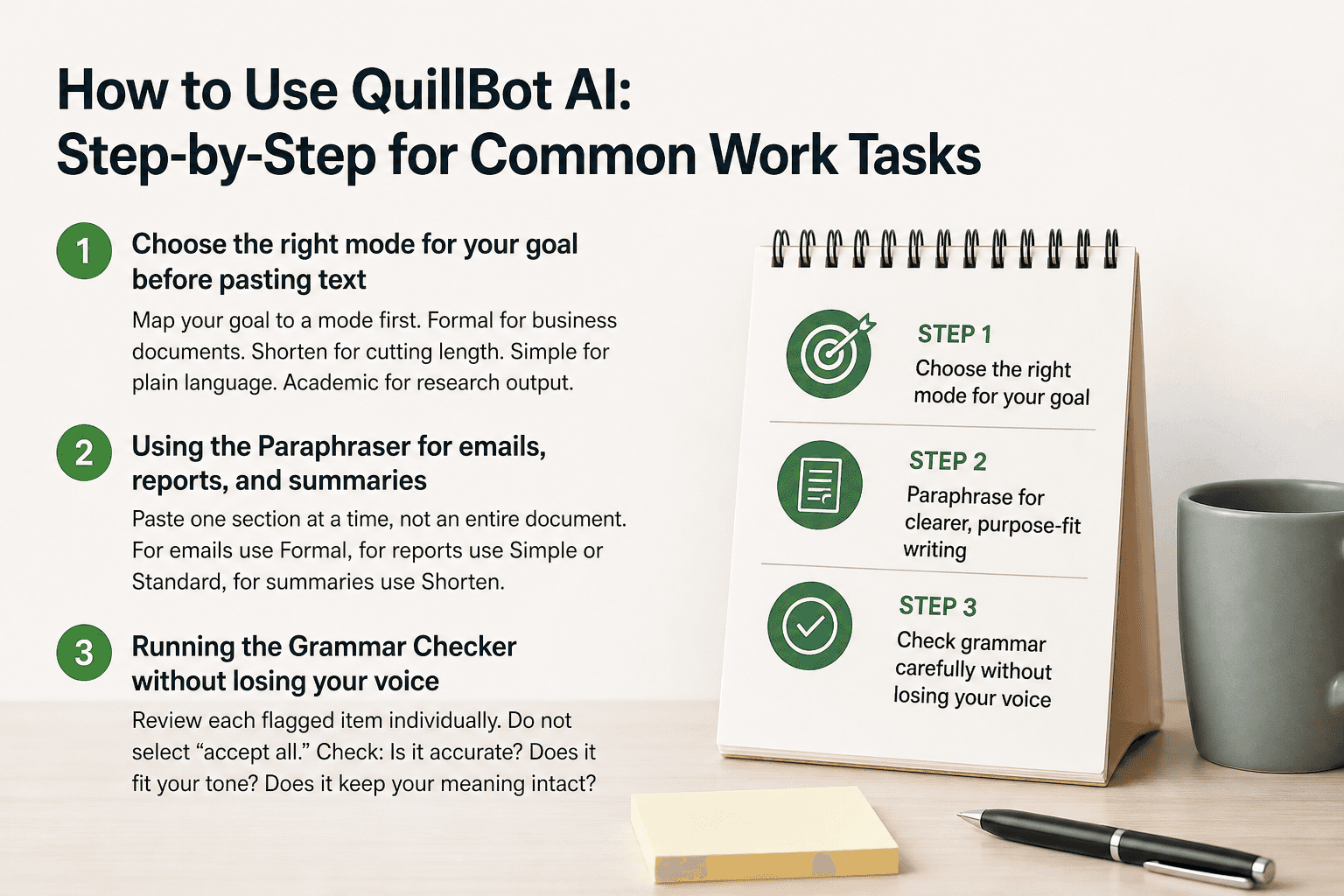
How to Use QuillBot AI: Step-by-Step for Common Work Tasks
Step 1: Choose the right mode for your goal before pasting text
Before you paste anything, decide what outcome you need. Do you need shorter text, more formal language, simpler phrasing, or just better flow? Each QuillBot mode is optimized for a different outcome. Choosing the wrong mode means the output won't match your goal, and you'll spend time re-running the same text.
Map your goal to a mode first. Formal for business documents. Shorten for cutting length. Simple for plain language. Academic for research output.
Step 2: Using the Paraphraser for emails, reports, and summaries
Paste one section at a time, not an entire document. The paraphraser works best on paragraph-length input. Long pastes produce inconsistent output because context dilutes across the text.
For business emails, use Formal mode. For internal reports where plain language matters, use Simple or Standard. For executive summaries where length is critical, use Shorten. Review the output immediately. If the meaning shifted, rerun with a different mode or edit the output directly.
Step 3: Running the Grammar Checker without losing your voice
Paste your draft into the grammar checker and review each flagged item individually. Do not select "accept all" at any point. The grammar checker does not know your audience, your brand voice, or the specific register your writing needs.
Look for three things when reviewing suggestions: Is the correction grammatically accurate? Does it fit the tone of your document? Does it preserve your original meaning? If any answer is no, reject the suggestion. Your judgment outweighs the tool's default.
Step 4: Using the Summarizer on long documents
Paste sections of a long document rather than the full text if the document exceeds the input limit. Read the summary output against your original to verify accuracy. The summarizer may drop qualifications, caveats, or nuance that matter in professional or legal contexts.
Use the summary as a draft starting point. Add back any critical detail the tool removed before using the output in a report or briefing.
Step 5: Reviewing and approving output — never accept all
Every piece of QuillBot output requires human review before it goes anywhere. Grammar checkers and paraphrasers can produce suggestions that are technically plausible but logically wrong or tonally mismatched. This is not a flaw unique to QuillBot. It is true of all AI writing assistants.
When reviewing output, check for three specific failure modes: meaning drift (the reworded version says something subtly different from your original), tone mismatch (the formality level is wrong for your reader), and factual distortion (the summarizer dropped a number or qualifier that changes the meaning). Catch these before they reach your reader.
QuillBot handles the writing refinement layer well. But the professionals who get the most from it are those who've already reduced the volume of repetitive manual work upstream. If your team still spends significant time on manual data handoffs, fragmented tool coordination, or process steps that haven't been automated, Predflow's AI agent platform addresses that layer. It maps your end-to-end workflows first, then builds agents that handle edge cases and exceptions reliably, so your team spends time on judgment work like reviewing and refining, not on repetitive execution.
QuillBot AI Limitations You Need to Know Before Relying on It
It does not generate original ideas or research
QuillBot cannot research a topic, generate arguments, or produce content without a source draft. If you ask it to write a report from scratch, it has nothing to work with. The tool requires your input text. The output is only as good as what you bring to it.
This is a category limitation, not a flaw. QuillBot is a refinement tool. Managing that expectation upfront saves frustration.
AI detection bypass is not guaranteed — what the evidence shows
Some users turn to QuillBot's AI Humanizer specifically to make AI-generated content pass detection tools. The documented evidence on this is clear: results are inconsistent. The humanizer does not reliably rewrite text in ways that defeat detection. Some AI detectors will still flag the output. Others will miss it. Neither outcome is predictable.
Do not build a workflow around AI detection bypass using QuillBot. The feature is unreliable enough that depending on it creates real risk.
Output quality depends on input quality
The paraphraser cannot fix structurally broken writing. If your original text is disorganized, unclear in argument, or missing key information, the reworded output will carry those same problems in different words. Garbage in produces polished garbage out.
Use QuillBot on drafts that already make sense. It improves clarity and expression. It does not improve logic or structure.
When you need a different tool entirely
Three use cases fall outside what QuillBot handles:
Original content generation: Use a generative AI tool like ChatGPT, Claude, or Gemini when you need content created from a prompt or topic brief.
Subject-matter research: QuillBot does not access the web or research topics. Use a dedicated research tool or search engine.
Code review: As noted from hands-on testing, QuillBot handles code input without crashing, but it is not designed to find syntax errors or logic bugs. Use a dedicated code review tool for that work.
Is QuillBot AI Worth It? How to Decide for Your Situation
QuillBot is worth it if these conditions apply to you
You regularly write or edit professional documents and need to improve clarity fast
You work in a second language and need help matching native-speaker phrasing
You produce academic work and need citation formatting and plagiarism checking
You have rough drafts that need polishing but do not need new ideas generated
You want a low-cost writing assistant you can access via browser extension across all your work
QuillBot is not the right fit if these conditions apply
You need content generated from scratch on topics you haven't researched
You are relying on it to guarantee your writing passes AI detection
Your writing problem is structural or argumentative, not clarity or phrasing
You expect it to understand industry-specific context or specialized terminology deeply
You need a research tool that pulls from current sources or databases
The honest verdict in one paragraph
QuillBot remains one of the most practical AI paraphrasing tools in 2026 because it solves a specific writing problem quickly and without a steep learning curve. Tens of thousands of users report genuine time savings and improved professional standards in their writing. The tool does what it says it does. The paraphraser and grammar checker work. The documented weak points are the AI detector and humanizer, which carry real reliability limitations. If you go in knowing what QuillBot is built for, the free plan alone delivers value on your first use. The paid plan earns its cost for anyone who writes or edits professionally at volume.
Frequently Asked Questions
Is QuillBot AI free to use?
Yes. QuillBot offers a free plan that includes the paraphraser with Standard and Fluency modes, a limited grammar checker, and basic summarizer access. Word limits apply per session. The free plan is functional for occasional use. Premium unlocks all modes, removes limits, and adds citation generation, plagiarism checking, and extended AI tools.
Does QuillBot work as a browser extension?
Yes. QuillBot has a browser extension that integrates directly with tools like Google Docs, Gmail, and other web-based writing environments. The extension gives you access to paraphrasing and grammar checking without switching tabs. Full extension functionality is available on the Premium plan.
Can QuillBot bypass AI detection tools?
Not reliably. The AI Humanizer is designed to rewrite text in a more human style, but documented user evidence shows inconsistent results. Some AI detection tools still flag humanized output. Others miss it. The outcome is not predictable enough to depend on for any professional or academic purpose where detection matters.
What is the difference between QuillBot and ChatGPT?
QuillBot refines text you already have. ChatGPT generates new content from prompts. If you have a draft that needs to be clearer, shorter, or more formal, QuillBot is the right tool. If you need to produce content on a topic from scratch, ChatGPT or a similar generative AI tool is the better starting point. Many users use both: generate with ChatGPT, then refine with QuillBot.
Is QuillBot safe for professional and academic use?
For professional writing, QuillBot is safe and useful for refining emails, reports, and summaries. For academic use, the citation generator and plagiarism checker add value, but users should verify institutional policies on AI writing tools before submitting QuillBot-assisted work. The tool processes your text through its servers, so avoid pasting confidential or sensitive data if your organization has data handling restrictions.
Conclusion
If your primary problem is unclear or wordy writing that needs to sound more professional, QuillBot is a practical, low-cost tool worth trying on the free plan today. It delivers real results on that specific problem, and most users find value within their first session.
If the bigger drain on your team's time sits upstream of the writing stage, in manual data handoffs, disconnected systems, or process steps that still require human intervention to move forward, that is a different problem and QuillBot does not touch it.
If repetitive manual work or disconnected processes are the bigger drain on your team's time, see how Predflow builds AI agents that handle end-to-end workflows reliably, starting with your process, not a generic tool.
Bring 20 NetSuite bills to a 30-minute teardown
We will walk your actual invoices through capture, 3-way match and posting on the call, and tell you which steps an agent can take over. No prep beyond the PDFs.
FAQ
Frequently asked questions
What exactly is an AI agent
An AI agent is an autonomous system designed to handle specific business tasks end-to-end. Unlike simple chatbots, AI agents can reason, take actions, integrate with tools, and follow defined workflows.