Marketing Ops
7 Marketing Agents That Automate Back-Office Workflows
Your marketing ops team loses 11+ hours a week to manual approvals, invoice reconciliation, and scattered briefs. These 7 marketing agents fix that.

Sanya Shah
Co-founder, Predflow

A marketing ops team burning 11+ hours a week manually routing campaign approvals, reconciling vendor invoices, and chasing creative briefs across five disconnected tools is not an outlier. It is the norm. The manual handoffs that hold these processes together are also the points where work stalls, errors compound, and visibility disappears.
Marketing agents now handle exactly these back-office handoffs autonomously. They do not just trigger notifications. They perceive state, reason across steps, take action in connected systems, and flag exceptions before they become problems. All without adding headcount.
One of the most consistent failures in marketing operations is running the team without a clear operational strategy. The work gets done, but the process never improves. Marketing agents change that by turning repeatable processes into documented, auditable workflows.
This article maps seven specific agent types to the back-office problems they solve, so operations leaders can identify which agent fits their situation and what to look for before building or buying.
What Are Marketing Agents and Why Back-Office Workflows Break Without Them
Back-office workflows in marketing collapse at handoff points: when a campaign budget needs finance sign-off, when a creative asset moves from agency to legal to brand, or when a vendor invoice needs three-way matching before payment. These are the moments where a basic automation script runs out of answers.
Marketing agent vs. basic automation: the edge-case gap
A basic automation script follows a fixed path. It executes step A, then step B, and fails silently when the real world does not cooperate. A marketing agent handles what happens when step B depends on context from three prior steps, or when an invoice arrives with a line item that does not match any purchase order.
The edge case is not the exception in back-office work. It is the rule.
Where back-office handoffs fail in marketing operations
Approval queues stall because no system knows who the right approver is when the primary contact is unavailable. Invoice reconciliation breaks when vendor naming conventions differ across systems. Creative compliance fails when reviewers apply different standards in different markets.
These are not technology problems. They are context problems. Standard automation has no context memory. A marketing agent does.
What makes an AI agent capable of replacing a manual process
A capable marketing agent has four core characteristics:
Perception: It reads inputs from connected systems, whether that is an email, a database record, or a flagged file.
Reasoning: It interprets context across multiple steps, not just the current trigger.
Action: It executes tasks in real systems, routing, flagging, writing, updating, or escalating.
Learning: It improves handling of recurring edge cases over time, reducing exception volume.
These four characteristics separate an AI agent workflow from a workflow that merely automates one step at a time.
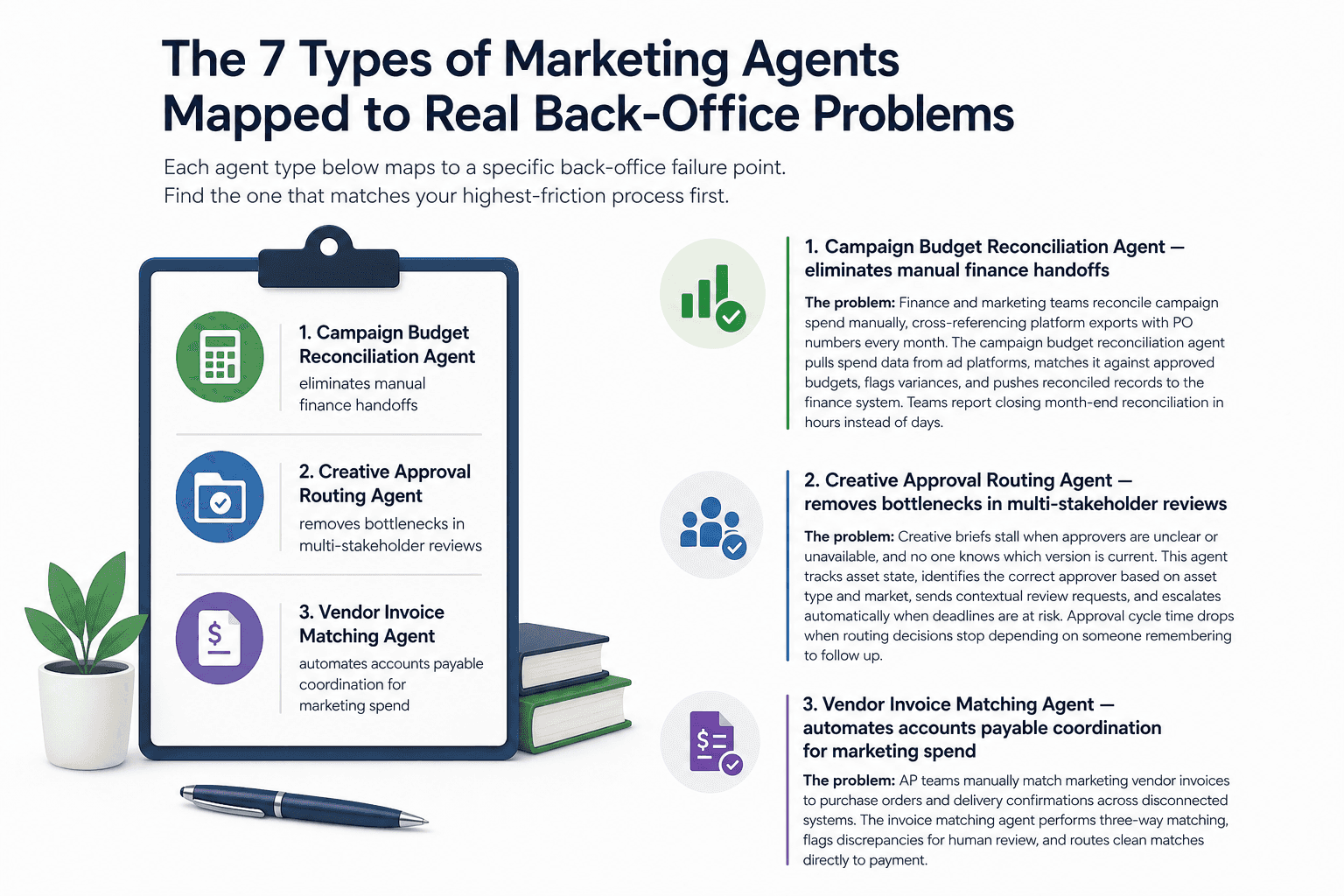
The 7 Types of Marketing Agents Mapped to Real Back-Office Problems
Each agent type below maps to a specific back-office failure point. Find the one that matches your highest-friction process first.
1. Campaign Budget Reconciliation Agent — eliminates manual finance handoffs
The problem: Finance and marketing teams reconcile campaign spend manually, cross-referencing platform exports with PO numbers every month. The campaign budget reconciliation agent pulls spend data from ad platforms, matches it against approved budgets, flags variances, and pushes reconciled records to the finance system. Teams report closing month-end reconciliation in hours instead of days.
2. Creative Approval Routing Agent — removes bottlenecks in multi-stakeholder reviews
The problem: Creative briefs stall when approvers are unclear or unavailable, and no one knows which version is current. This agent tracks asset state, identifies the correct approver based on asset type and market, sends contextual review requests, and escalates automatically when deadlines are at risk. Approval cycle time drops when routing decisions stop depending on someone remembering to follow up.
3. Vendor Invoice Matching Agent — automates accounts payable coordination for marketing spend
The problem: AP teams manually match marketing vendor invoices to purchase orders and delivery confirmations across disconnected systems. The invoice matching agent performs three-way matching, flags discrepancies for human review, and routes clean matches directly to payment queues. This is particularly high-value for teams managing 50 or more active vendor relationships.
4. Lead Data Enrichment Agent — keeps CRM records clean without manual entry
The problem: CRM records decay the moment a sales rep forgets to update them. This agent monitors new inbound records, pulls enrichment data from connected sources, standardizes field formats, and routes qualified leads to the correct owner. It runs continuously, so the pipeline reflects reality rather than last week's manual import.
5. Compliance and Brand Governance Agent — flags off-brand or non-compliant assets automatically
The problem: Brand and legal teams review assets manually before launch, creating a bottleneck that grows with every new market or campaign. This agent scans assets against a defined brand and compliance ruleset, flags specific violations with reference to the rule breached, and holds assets from distribution until a human approves the exception. It is increasingly built on LLM agent frameworks that understand brand context, not just keyword matching.
6. Performance Reporting Agent — pulls cross-channel data into unified ops reports
The problem: Ops managers spend hours pulling data from separate platforms before they can see what is actually happening across campaigns. The performance reporting agent connects to each data source, normalizes metrics, assembles the report in a defined template, and delivers it on schedule. Anomaly detection can be layered in, so the agent flags underperformance before the weekly review rather than during it. AI SDR and reporting tools are increasingly built on LLM agent frameworks rather than rigid rule-based scripts, giving them the flexibility to handle new data structures without manual reconfiguration.
7. AI SDR Agent — qualifies and routes inbound leads before human handoff
The problem: Sales development reps spend significant time on leads that will never convert, simply because no system has triaged them first. An AI SDR agent scores inbound leads against qualification criteria, handles initial outreach for lower-tier leads, and routes high-fit prospects directly to a human rep with full context attached. Human reps engage later in the qualification cycle, on leads that are worth their time.
How AI Agent Architecture Determines Whether a Marketing Agent Actually Scales
The architecture underneath a marketing agent determines whether it handles real workflow complexity or breaks the first time an edge case appears. Two agents can look identical in a demo and behave completely differently in production.
Single-agent vs. multi-agent architectures for marketing workflows
A single-agent setup handles one defined process end-to-end. It works well for contained workflows like invoice matching or report generation. A multi-agent system coordinates several specialized agents, each handling a discrete task, with an orchestration layer managing handoffs between them.
For complex marketing operations involving multiple systems and stakeholders, multi-agent architectures scale better. They isolate failures, so one agent failing does not break the entire workflow.
Knowledge-based agents: why context memory matters for approvals and compliance
A reactive agent follows fixed rules. If condition A, do B. It cannot account for history, exceptions, or context accumulated across prior steps.
A knowledge-based agent retains context. It knows that a specific creative asset previously required legal escalation in the German market, and it applies that knowledge to the next similar asset without being reprogrammed. For approvals and compliance workflows, this distinction is the difference between an agent that works reliably and one that requires constant human supervision.
The process-mapping-first principle: why tools-first agent builds fail in production
Most agent builds fail not because the technology is wrong but because the process was never fully mapped before integration began. When teams select tools first, they automate the visible steps and miss the edge cases that live in institutional knowledge.
Platforms like Predflow are built around this principle. They map the existing workflow, identify edge cases upfront, and build human oversight checkpoints before a single integration is connected. The result is an agent that handles real-world variation from day one, not after six months of firefighting.
What to Look for in a Marketing Agent Platform Before You Build or Buy
A long feature list from a vendor tells you very little about whether the agent will work in your specific environment. These five questions cut through the noise.
Process coverage: can it handle your specific handoff points
Ask the vendor to walk through your exact process, not a generic demo. Can the platform handle the specific decision points where your current process breaks? If they cannot map to your edge cases in the evaluation, they will not handle them in production.
Human oversight and escalation paths built in by default
An agent that runs autonomously without a clear escalation path creates a different risk than the manual process it replaced. Ask how exceptions are surfaced, who receives them, and how quickly a human can intervene when something falls outside the agent's defined parameters.
Integration depth vs. surface-level connectors
A surface-level connector reads data. Deep integration reads, writes, and triggers state changes in the connected system. For back-office workflows, writing back to source systems is not optional. Confirm whether the platform updates records in your ERP, CRM, or AP system or only reads from them.
Observability: can your team see and debug what the agent is doing
Agentic AI takes actions in live systems and must be fully auditable. This is the key distinction from generative AI, which produces outputs but does not act. Ask whether every agent decision is logged, searchable, and accessible to a non-technical team member without filing a support request.
Continuous improvement loop vs. static deployment
A static deployment handles what it was configured to handle on launch day. A platform with a continuous improvement loop surfaces patterns in exceptions, updates handling rules over time, and reduces exception volume as the agent learns. Ask how the platform handles process changes after deployment, and who owns that maintenance.
Marketing Agents in Action: Three Back-Office Workflow Scenarios
Abstract agent types become useful when you can see exactly how they behave across a real process. These three scenarios walk through trigger to output.
Scenario 1: Automating monthly agency invoice reconciliation end-to-end
A batch of 43 vendor invoices arrives on the first of the month. The reconciliation agent reads each invoice, pulls the matching PO from the procurement system, checks delivery confirmation in the project management tool, and matches all three. Forty-one invoices clear automatically and route to payment. Two invoices with line item discrepancies are flagged with a summary of the mismatch and escalated to the AP manager. Total processing time: 4 minutes. Human review time: 12 minutes on two exceptions.
Scenario 2: Running a multi-market campaign compliance check without manual review
A campaign package containing 18 assets is submitted for launch across four markets. The compliance agent checks each asset against market-specific brand guidelines and regulatory requirements, flags two assets in the German market for claim language requiring legal review, and clears the remaining 16 for distribution. The legal team receives a structured exception report with the specific rule reference and asset version. No manual pre-review queue. As agencies move toward outcome-driven models, eliminating this kind of manual compliance bottleneck is a prerequisite for delivering on performance commitments.
Scenario 3: Routing performance anomalies to the right team member automatically
A paid search campaign drops below its target cost-per-acquisition threshold at 2:00 a.m. The performance reporting agent detects the anomaly against the prior 14-day baseline, identifies the affected ad groups, and routes a structured alert to the paid search manager with context attached. The manager wakes up to a decision-ready summary, not raw data. Response time moves from the next morning's review to within the hour.
Frequently Asked Questions
What is a marketing agent and how is it different from a chatbot?
A marketing agent perceives inputs from connected systems, reasons across multiple steps, and takes action in real tools like CRMs, ERP platforms, or ad systems. A chatbot responds to prompts within a conversation interface. A marketing agent operates autonomously across a defined workflow, with or without a human initiating each step.
Can marketing agents integrate with existing tools like Salesforce, HubSpot, or NetSuite?
Yes. Most production-grade marketing agents are built to connect with existing systems rather than replace them. The integration depth matters. Confirm whether the agent reads data only or also writes back to source records, triggers workflows, and updates system state. Surface-level connectors are common; deep bidirectional integration is the standard to require.
Do marketing agents require technical staff to manage them day-to-day?
A well-architected agent should not require daily technical oversight. Exceptions should surface through a clear escalation path accessible to non-technical team members. Initial setup and process mapping typically require technical involvement. Ongoing management should sit with operations staff, not a developer.
What back-office workflows are marketing agents best suited for?
Workflows with consistent triggers, defined steps, multiple system touchpoints, and high exception volume are the best starting points. Campaign budget reconciliation, vendor invoice matching, creative approval routing, and compliance review are strong candidates. Processes that are entirely unstructured or require continuous human judgment are less suitable for initial automation.
How do I know if my team is ready to deploy an AI agent?
The clearest readiness signal is whether you can describe a process end-to-end in writing, including what happens when standard steps fail. If you can document the trigger, the steps, the decision points, and the expected output, the process is mappable. If the answer is "it depends on who is handling it that day," the first step is process documentation, not tool selection.
Conclusion
Here is the decision fork: if your team has at least one back-office process with consistent steps and a recurring failure point, you have enough to evaluate a marketing agent now. You do not need a perfect process. You need a documented one.
If you cannot yet describe a workflow end-to-end, including its edge cases and escalation paths, start with process mapping. Tool selection before process clarity produces brittle automations that require constant maintenance. The cost of skipping this step is not just wasted budget. It is an agent that erodes trust faster than it builds efficiency.
The deeper cost of not automating is the ceiling it places on scale. Every manual handoff your team manages is a cap on how much the team can grow without adding headcount. Removing those handoffs is not a productivity improvement. It is a structural change in what the team can accomplish.
If you have a workflow in mind but are not sure how to map it for automation, Predflow offers a free process audit. See how your back-office handoffs would look as an agent workflow before you commit to a build.
Bring 20 NetSuite bills to a 30-minute teardown
We will walk your actual invoices through capture, 3-way match and posting on the call, and tell you which steps an agent can take over. No prep beyond the PDFs.
FAQ
Frequently asked questions
What exactly is an AI agent
An AI agent is an autonomous system designed to handle specific business tasks end-to-end. Unlike simple chatbots, AI agents can reason, take actions, integrate with tools, and follow defined workflows.