Finance
How to Set Up AP Automation for High-Volume Invoice Teams
Learn how to set up AP automation for teams processing hundreds of invoices. Stop manual bottlenecks and build a workflow that actually scales.

Sanya Shah
Co-founder, Predflow

A finance team processing 500 invoices a month can lose an entire afternoon to one misrouted document. The invoice sits in the wrong inbox, the approval deadline passes, the vendor calls, and three hours of email threads follow. That is not a people problem. Manual AP handoffs fail at volume because the process was never designed to scale beyond a certain point, and adding headcount only delays the reckoning.
According to research on common AP automation failures, results are severely hindered by mistakes made in the planning and implementation phases before a single invoice is processed automatically (Source: AP Automation Mistakes and How You Can Avoid Them). The tools are not the problem. The sequence is.
This guide walks through exactly how to set up AP automation the right way: starting with process mapping rather than vendor selection, so the system absorbs volume without creating a new set of problems to manage.
Why Most AP Automation Projects Underdeliver Before They Launch
AP automation fails most often before the software is even configured. Teams pick a platform, start the implementation, and discover mid-rollout that the tool cannot handle their approval structure or does not match how their suppliers send invoices.
The tool-first trap that stalls implementation
Selecting business process automation platforms before auditing the current workflow is the single most common implementation mistake. The software becomes the process map by default, and it almost never matches reality. Approval exceptions, coding rules, and vendor-specific formats get discovered after go-live, at the worst possible time.
Three process gaps that automation cannot fix on its own
Automation in accounting handles repetitive logic reliably. It does not fix unclear ownership, missing approval authority documentation, or informal workarounds that no one has written down. If the current process has these gaps, automating it creates faster confusion, not faster payments.
The three gaps to identify before selecting any accounts payable automation solution are: undefined approval authority at each dollar threshold, inconsistent invoice coding between departments, and exception paths that currently exist only in someone's memory.
How supplier compatibility becomes the first hidden bottleneck
Workflow automation breaks at the supplier boundary if vendors cannot send invoices in a format the system accepts. One common implementation problem is that suppliers do not have technology compatible with the new AP automation solution, which drives down adoption rates regardless of how well the internal configuration is done (Source: AP Automation Mistakes and How You Can Avoid Them).
Supplier onboarding requirements need to be mapped before a vendor is selected, not after contracts are signed.
Step 1: Map Your Current Invoice Workflow Before Touching Any Software
Process mapping is the only way to know what you are actually automating. Without it, the configuration decisions in every subsequent step are guesses.
How to trace every touchpoint from invoice receipt to payment
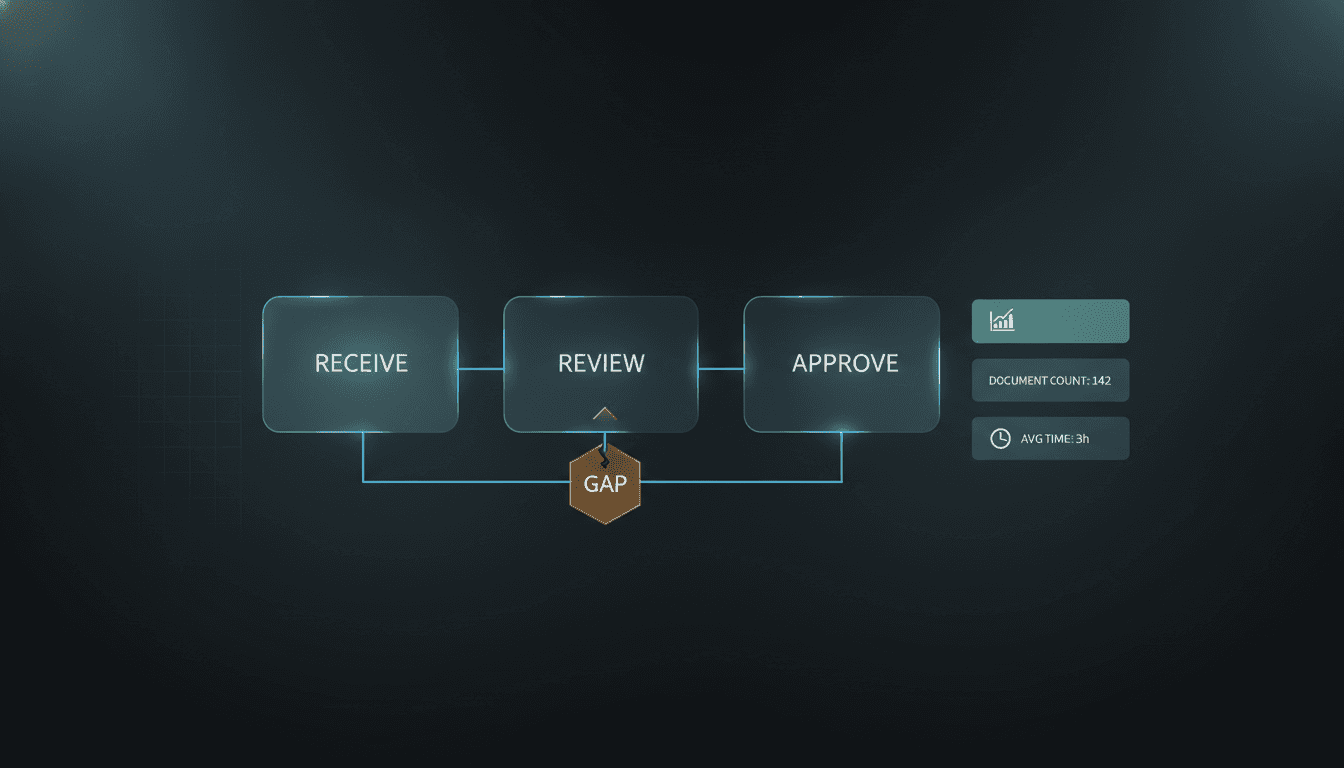
Start at invoice receipt and follow a single invoice through to payment, writing down every person, system, and decision point it touches. Include the informal steps: the AP clerk who checks for duplicates manually, the email chain that substitutes for a missing approval tool, the spreadsheet used to track open POs.
Each touchpoint is either a candidate for automation or a dependency that the automated system must account for. Document what is workflow automation within your team already handling, even informally.
Identifying exception cases that will break a standard automation rule
Most AP automation implementations are designed around the standard case. Exception cases are where they break. Ask the team: what are the ten invoices per month that take the most time to resolve? Those are the edge cases that need explicit rules before go-live.
Common exception categories include invoices without a matching PO, split-coded invoices that cross department budgets, and invoices from vendors with custom payment terms. Every one of these needs a documented path before configuration begins. Best-in-class AP process design treats exception handling as a core feature, not an afterthought (Source: 17 Accounts Payable Automation Best Practices, Corpay).
What to document: approval hierarchies, payment terms, and vendor categories
The minimum documentation set before evaluating any tool includes: the approval authority matrix by dollar threshold, payment terms by vendor category, a list of PO-backed versus non-PO invoices by volume, and the current average cycle time from receipt to payment.
As a concrete example: a three-way PO match requires the invoice, the purchase order, and the receiving report to align before payment is released. In a documented workflow, that becomes three explicit check steps with defined owners and a tolerance rule for minor variances. Without that documentation, the automation has no logic to follow and defaults to a manual review queue for every mismatch.
Step 2: Choose an AP Automation Setup That Matches Your Invoice Volume and Variance
Platform selection should follow process mapping, not precede it. The criteria that matter for high-volume teams are not feature lists. They are throughput capacity, exception handling logic, and integration depth with existing accounting systems.
Point solution vs. end-to-end automation platform: which fits your volume
Point solutions handle specific tasks well: OCR capture, approval routing, or payment processing. For teams with straightforward invoice types and a single ERP, a point solution and accounts payable automation system can deliver results quickly.
For teams processing high invoice volume with multiple approval paths, non-PO invoices, and split-coded transactions, an end-to-end business automation software platform is a stronger fit. The integration overhead of stitching together point solutions often consumes the efficiency gains.
Use this checklist to guide the decision:
Criterion | Point Solution Fits | End-to-End Platform Fits |
|---|---|---|
Monthly invoice volume | Under 500 | 500+ |
Number of ERP systems | 1 | 2 or more |
Non-PO invoice percentage | Under 20% | Over 20% |
Approval levels per invoice | 1 to 2 | 3 or more |
Human oversight requirement | Low | High |
ERP and accounting system integration requirements to verify before signing
ERP automation integration is where implementations most often stall after contract signing. Verify before committing: whether the platform has a native connector or requires a middleware layer, how it handles real-time sync versus batch processing, and what happens to in-flight invoices during an ERP update or outage.
Ask the vendor for a documented integration architecture, not just a feature page. The difference between a native integration and an API connection with a third-party middleware layer is significant in terms of maintenance burden and failure risk.
How AI and RPA capabilities affect exception handling at scale
Rule-based RPA in automation handles predictable, structured invoice formats reliably. When invoice formats vary or exceptions increase with volume, static rules require constant manual updates to stay accurate. AI and robotic process automation adds the ability to interpret unstructured data, learn from past decisions, and handle variance without a rule rewrite every time a vendor changes their invoice layout.
For teams where exception volume is the real cost driver, the difference between ai workflow automation and a static rule engine is measurable in hours recovered per month.
Predflow is built around this distinction. Rather than deploying rules and waiting for exceptions to break them, Predflow maps your existing AP workflow first and builds agents that understand context, so unusual invoice formats, split approvals, or vendor disputes are handled without defaulting to a manual queue. For teams where edge cases are the daily norm rather than the exception, that process-first approach changes what automation actually delivers. Learn more at predflow.ai.
Step 3: Configure Approval Workflows and Exception Rules Before Going Live
Configuration is where most of the day-to-day value of AP automation is either created or lost. Getting it right means fewer manual interventions. Getting it wrong means a new queue that someone has to work through every morning.
Setting dollar-threshold approval tiers that reflect your actual authority matrix
Map your approval tiers directly to your existing authority matrix, not to a generic template the software provides. If your company requires two signatures on invoices above $10,000 and one for anything under, those are the thresholds that go into configuration. Discrepancies between the configured rules and the actual authority matrix create compliance gaps and audit risk.
Building exception rules for duplicate invoices, missing POs, and coding mismatches
Exception rules need to be specific. "Flag duplicates" is not a rule. "Flag any invoice with the same vendor ID, invoice number, and amount within a 30-day window" is a rule the system can execute. The same specificity applies to missing PO logic and coding mismatches.
Planning for exceptions at this stage prevents the post-launch surprises that send exception rates back up after go-live (Source: AP Automation Mistakes and How You Can Avoid Them).
How to configure human oversight checkpoints without creating new bottlenecks
Consider a realistic scenario: an invoice arrives with a $0.50 unit price variance from the PO. A system without a tolerance rule routes that to a manager's inbox. The manager sees a $0.50 discrepancy, approves it immediately, and the queue grows by one more interruption. A tolerance rule set at 1% of invoice value handles that automatically and reserves the manager's review for variances that actually require judgment.
Human oversight checkpoints belong at genuinely ambiguous decision points, not at every exception. Intelligent automation means the system escalates meaningfully, not reflexively.
What Does AP Automation Actually Cost to Implement, and What's the ROI Timeline?
The ROI of AP automation comes from reduced cost per invoice, recovered staff time, and a set of revenue-side benefits most teams do not include in their initial business case. Best-in-class AP automation reduces cost per invoice to $2.81 and cuts overall processing costs by up to 80% (Source: AP Automation Benefits, Emburse). For a team processing 1,000 invoices per month, that cost reduction compounds quickly.
Typical cost-per-invoice benchmarks before and after automation
Manual invoice processing typically costs between $12 and $30 per invoice when labor, error correction, and cycle time are fully accounted for. Automation in accounting brings that to the low single digits. The gap between $15 and $2.81 per invoice, multiplied across monthly volume, is the core of the ROI calculation.
How to calculate your AP automation ROI using volume and labor inputs
The calculation has three inputs: current cost per invoice, post-automation cost per invoice, and monthly invoice volume. Multiply the difference by volume to get monthly savings. Add back the one-time implementation cost and divide to get the payback period. For most teams at 500+ invoices per month, payback occurs within the first year.
Include staff time redirected to higher-value work as a measurable benefit, not just a qualitative one. Expense management automation and procurement automation software that frees AP staff from data entry has a real dollar value tied to hourly cost.
Where cash-back rebates and early payment discounts add unexpected upside
Virtual card payments enabled by AP automation generate 0.5% to 1.5% cash-back rebates on payment volume, with leading companies capturing hundreds of thousands of dollars annually (Source: AP Automation Benefits, Emburse). Early payment discounts from vendors add a second revenue stream that manual processing cycles are too slow to capture consistently.
These two benefits are frequently excluded from ROI projections and understate the actual return.
Step 4: Run a Controlled Pilot With One Invoice Type Before Full Rollout
A pilot reduces the risk of scaling a misconfiguration across your full invoice volume. The goal is not to test whether automation works in general. It is to surface the specific rules that need adjustment before they affect every invoice.
How to choose the right invoice category for your pilot
Start with recurring utility or facilities invoices. They arrive on predictable schedules, carry consistent formats, and follow straightforward approval paths. Anomalies are easy to spot against a stable baseline, which makes the pilot data actionable rather than ambiguous.
Avoid starting with non-PO invoices or high-variance vendor categories. The goal of the pilot is to calibrate the system, not stress-test it.
The four metrics to track during the first 30 days of a pilot
Track these four metrics from day one: straight-through processing rate, exception rate, average cycle time, and manual intervention count. Straight-through processing rate tells you how often invoices complete the full workflow without a human touch. Exception rate tells you where the rules are misconfigured. Cycle time tells you whether the automation is actually faster. Manual intervention count tells you whether the efficiency gain is real or just shifted.
Best-practice AP implementation tracks these metrics continuously, not just during the pilot (Source: 17 Accounts Payable Automation Best Practices, Corpay).
Using pilot data to refine exception rules before full deployment
If the exception rate during the pilot is above 15%, the rules need adjustment before rollout. Work back from each exception category to the specific rule or missing rule that caused it. Fix the configuration, run the affected invoice type through again, and confirm the exception rate drops before expanding scope.
The pilot is the last low-cost opportunity to get configuration right.
Step 5: Maintain AP Automation Performance With Continuous Monitoring and Feedback Loops
AP automation that delivers results in the first quarter and deteriorates by the third is a common outcome for teams that treat implementation as a one-time project. Invoice patterns change. Vendors update their formats. Business rules evolve. Static automation does not.
The KPIs that signal when your automation rules need recalibration
Watch straight-through processing rate, exception rate, and cycle time on a monthly basis. A 5-point drop in straight-through rate over two consecutive months is a signal that invoice formats or approval structures have shifted in ways the rules no longer cover. Waiting for the exception queue to overflow is the expensive way to find out.
Artificial intelligence automation systems that learn from new patterns handle some of this drift automatically. Rule-only systems require manual recalibration.
How to build a vendor feedback channel into your AP process
Vendors notice when invoices are rejected or delayed. A structured feedback channel gives them a path to report formatting issues before they become recurring exceptions. This also gives your AP team early warning when a vendor has changed their invoice template, which is one of the most common causes of exception rate increases after a stable period.
Collaborative communication tools do not need to be complex. A shared inbox or structured email alias dedicated to vendor invoice queries is sufficient at most volumes.
Scheduling quarterly rule reviews to stay ahead of edge case accumulation
Set a quarterly calendar reminder to review the exception log, identify the top five recurring exception types, and update the rules that cover them. This prevents edge case accumulation, where small unhandled exceptions build up over months until they represent a meaningful percentage of total invoice volume.
Teams that set up automation and do not revisit the rules often find that exception rates creep back toward pre-automation levels within six months as supply chain management automation patterns and vendor behaviors shift. Continuous improvement is not optional at scale. It is what separates a one-quarter efficiency gain from a compounding annual return.
Frequently Asked Questions
What is AP automation and how does it work for high-volume teams?
AP automation replaces manual invoice and payment tasks with digital workflows that capture invoice data, route it for approval, and execute payments without manual handoffs (Source: 17 Accounts Payable Automation Best Practices, Corpay). For high-volume teams, it works by applying consistent rules across every invoice simultaneously, so throughput scales without adding headcount. The key requirement is that the process logic is documented and configured before the system goes live.
How long does it take to implement AP automation from start to live processing?
Implementation timelines vary based on ERP complexity, invoice volume, and how many approval paths need to be configured. Teams with a single ERP and straightforward approval structures can reach live processing in six to ten weeks. Multi-ERP environments or high exception-rate processes typically require three to six months from process mapping to full rollout.
What is the difference between RPA and AI in AP automation?
RPA in automation executes repeatable, rule-based tasks on structured data, such as extracting fields from a consistent invoice template. AI in automation interprets unstructured or variable data, learns from past decisions, and handles variance without requiring a rule update for every new format. Most modern accounts payable automation solutions combine both: RPA for volume processing and AI for exception handling.
Can AP automation handle invoices that don't match a purchase order?
Yes, but non-PO invoices require explicit configuration to handle correctly. The system needs defined rules for how to code the invoice, who approves it, and what the tolerance thresholds are. Without those rules, non-PO invoices default to a manual review queue, which eliminates the efficiency gain for that invoice category.
How do you measure AP automation ROI before you've bought anything?
Use your current cost per invoice, your monthly invoice volume, and a target post-automation cost per invoice to calculate projected savings. Add virtual card rebates of 0.5% to 1.5% on payment volume as a revenue-side input (Source: AP Automation Benefits, Emburse). The resulting monthly savings figure divided by the implementation cost gives you a payback period estimate you can use in an internal business case.
What integrations are required for AP automation to work with existing ERP systems?
At minimum, the AP automation system needs to read open PO data from the ERP, write approved invoice records back to the general ledger, and sync vendor master data in real time. ERP automation integration requirements vary by platform. Verify whether the vendor provides a native connector or relies on middleware, and confirm the sync frequency matches your processing volume before signing.
You Now Have the Sequence, the Question Is When You Start
The five steps in this guide form a specific order for a reason: map the process, choose the right platform, configure approval and exception logic, pilot with one invoice type, and monitor continuously. Skipping or reordering any step is where implementation problems begin.
For teams already processing high invoice volume, every additional month of manual processing has a measurable cost in labor, errors, and vendor relationship friction. The next painful month-end close is coming regardless. The question is whether you start step one this week or wait for it to force the issue.
If your team is processing more than 200 invoices a month manually, see how Predflow maps your existing AP workflow and identifies which steps are ready to automate today, no tool commitment required. Start at predflow.ai.
Bring 20 NetSuite bills to a 30-minute teardown
We will walk your actual invoices through capture, 3-way match and posting on the call, and tell you which steps an agent can take over. No prep beyond the PDFs.
FAQ
Frequently asked questions
What exactly is an AI agent
An AI agent is an autonomous system designed to handle specific business tasks end-to-end. Unlike simple chatbots, AI agents can reason, take actions, integrate with tools, and follow defined workflows.