Finance
6 Best Frontier Business Systems Alternatives for AP Automation
If your AP team is still manually keying data and chasing approvals by email, the problem isn't technology — it's disconnected workflow design. Here are 6 frontier business systems alternatives that actually fix it.

Gautam Borad
Founder, Predflow

An AP team processing 500 invoices a month is still manually keying data between three systems, chasing approvals over email, and calling someone just to find out where a payment stands. This is not a technology gap. It is a workflow design problem, and it shows up consistently among teams using fragmented frontier business systems that digitize individual steps without connecting them end to end.
The result is predictable: hours lost to re-keying, approvals stuck in someone’s inbox, and no audit trail when a payment goes wrong. Poor accountability between systems is one of the most common complaints from AP teams who thought they had solved the problem by adding software.
This article compares six alternatives evaluated specifically on whether they eliminate those manual handoffs, not just move them to a different screen.
What to Look for in a Frontier Business Systems Alternative
Before choosing any platform, AP managers need a framework that cuts through feature marketing. The four criteria below function as a scorecard. Use them to evaluate each alternative in the next section against your own environment.
Criterion | What to Ask | Why It Matters |
|---|---|---|
End-to-end process coverage | Does it automate the full AP cycle or just one step? | Single-task tools create new handoff points |
Integration depth | Does it connect natively to your accounting stack or require middleware? | Poor accounting software integration causes sync failures and duplicate data |
Human oversight and exception handling | Can your team intervene on flagged items without breaking the workflow? | Invoice mismatches and PO exceptions need a defined escalation path |
Total cost of ownership | What are the implementation, licensing, and internal labor costs combined? | Software expenses compound fast when implementation is underestimated |
End-to-end process coverage vs. single-task automation
A tool that automates invoice capture but stops at approval routing forces your team to manually bridge the gap. Business system software that covers intake through payment in a single workflow eliminates that bridge entirely.
Integration depth with your existing accounting stack
Native connectors to your ERP matter more than the number of integrations listed on a vendor’s website. Accounting software integration that requires a middleware layer adds a failure point and a maintenance cost.
Human oversight and exception handling built in
The best enterprise software solutions make exceptions visible and routable without requiring IT involvement. If your team cannot intervene on a flagged invoice in under two minutes, the tool is working against you.
Total cost including implementation and ongoing licensing
Software license management costs are rarely the biggest line item. Implementation time, internal training, and the hours your team still spends managing exceptions after go-live are where budgets break.
The 6 Best Frontier Business Systems Alternatives for AP Automation
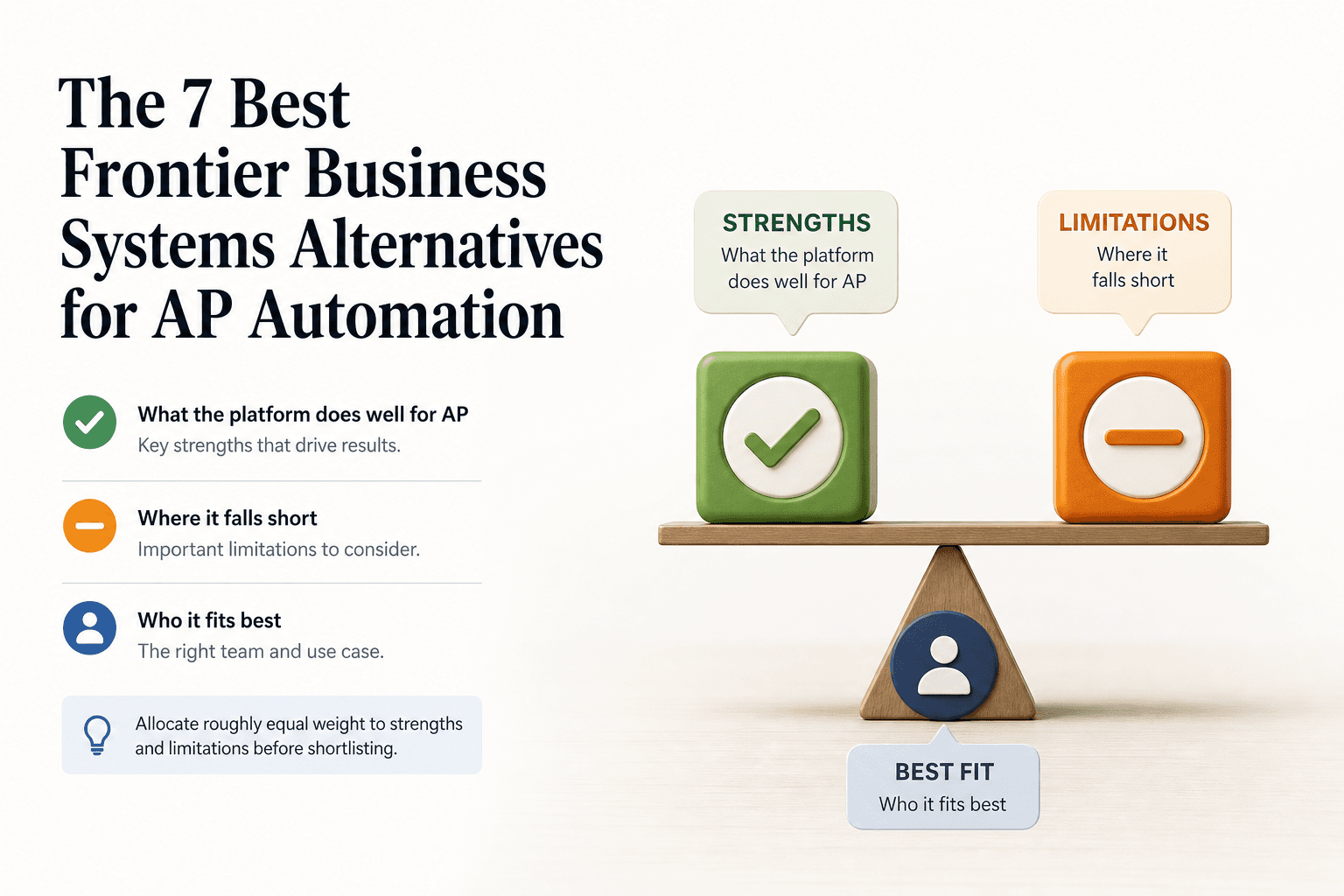
Each review below answers three questions: what the platform does well for AP, where it falls short, and who it fits best. Allocate roughly equal weight to strengths and limitations before shortlisting.
1. SAP Concur — Travel and Expense Management with AP Modules
SAP Concur is an enterprise platform that combines travel and expense management software with AP modules for invoice processing and supplier payments. Its strength is the tight connection between employee expense claims and accounts payable, which matters for organizations where T&E and AP share the same approval chain. The audit trail is deep and the enterprise software integrations with SAP ERP are native. The limitation for mid-market AP teams is cost and implementation complexity. It is designed for large enterprise environments, and smaller teams often find the configuration overhead disproportionate to their volume. Best fit: enterprise organizations already running SAP ERP that want a single vendor across T&E and AP.
2. Tipalti — Supplier Payments and Invoice Automation
Tipalti automates the supplier payment lifecycle, covering invoice intake, approval workflows, tax compliance, and global payment execution. Its AP-specific strength is supplier self-service: vendors submit invoices through a portal, which reduces inbound email volume for your team significantly. Payment reconciliation with integrated software solutions handles multi-currency and multi-entity scenarios without manual intervention. The limitation is that Tipalti’s invoice capture accuracy depends on supplier portal adoption. Teams with suppliers who resist portal onboarding see the manual exception rate stay high. Best fit: finance teams with a large, international supplier base and a primary bottleneck in payment execution rather than internal approval routing.
3. Coupa — Procurement and Spend Management Suite
Coupa is a procurement software and spend management platform with a connected AP module. The primary strength is the purchase order lifecycle: Coupa creates a closed loop from requisition through receipt through invoice matching, which reduces three-way match failures at scale. For AP teams embedded in a procurement-heavy environment, this integration depth eliminates a major source of manual exception handling. The limitation is deployment time. Coupa implementations at mid-market companies routinely take six months or more before AP teams see full workflow coverage. Best fit: procurement-led organizations where AP is downstream of a structured purchasing process and ERP alignment is already in place.
4. Bill.com — SMB-Focused Accounts Payable Automation
Bill.com is invoice management and payment automation built for small and mid-sized businesses. It handles invoice capture, approval routing, and ACH or check payments with a clean interface that requires minimal training. The integration with QuickBooks and Xero is reliable for software small business environments where the accounting stack is straightforward. The limitation for growing teams is scalability. Once invoice volume exceeds a few hundred per month or approval hierarchies grow complex, Bill.com’s workflow rules become difficult to maintain without manual oversight. Best fit: small AP teams under ten people processing under 300 invoices per month with a standard accounting stack.
5. Stampli — Invoice Management with Collaborative Approval Workflows
Stampli centers its design on the invoice as the unit of collaboration. Approvers, comments, and audit history live directly on the invoice record, which reduces the back-and-forth email chains that slow approval cycles. This approach makes Stampli particularly effective for teams where approval delays, not data entry, are the primary bottleneck. The billing system software integrates with over 70 ERPs and requires lighter IT involvement than most enterprise tools. The limitation is that Stampli does not extend into payment execution natively. Your team still needs a separate tool or bank process to close the payment cycle. Best fit: mid-market AP teams where approval speed is the constraint and payment processing is already handled by an existing banking relationship.
6. MineralTree — Mid-Market AP Automation with ERP Integration
MineralTree automates invoice capture, approval workflows, and payment execution with a focus on mid-market teams that need ERP-native integration without an enterprise-level implementation project. The platform’s strength is its payment network and the ability to push approved invoices to payment without leaving the AP module. B2B software integrations with NetSuite, Sage Intacct, and Microsoft Dynamics are pre-built and maintained by the vendor. The limitation is that MineralTree’s exception handling is less configurable than enterprise platforms. Invoices that fall outside standard matching rules require manual routing. Best fit: mid-market finance teams that need a faster path to payment automation and have a mid-tier ERP already in place.
How These Frontier Business Systems Alternatives Handle the Hardest AP Problems
Feature lists do not reveal how a platform behaves when something goes wrong. These three scenarios are where most AP tools fail the teams that bought them.
Approval visibility and audit trail depth
A realistic scenario: an auditor asks for the full approval history on 40 invoices from the prior quarter. On platforms like Stampli and Coupa, that history lives on the invoice record and exports cleanly. On tools where approvals happen over email with a separate notification system, reconstructing that trail requires manual effort. For AP teams with compliance requirements, audit trail depth is not a nice-to-have. It is the difference between a one-hour audit response and a two-day manual reconstruction.
What happens when an invoice doesn’t match a PO
Three-way match failures are the most common source of manual intervention in AP workflows. Platforms like Coupa handle this with a defined exception route: the invoice flags automatically, routes to the right approver, and logs the resolution. Platforms that lack a configurable exception path, like Bill.com at higher volumes, send the exception to a generic queue where someone decides manually what to do next. Exposing this kind of process complexity early is the difference between choosing a tool that fits and one that creates new manual work.
ERP and accounting software integration reliability
The failure mode that operations management software buyers underestimate is not the initial integration. It is the sync failure six months after go-live when a vendor updates their API. Platforms like MineralTree and Tipalti maintain their ERP connectors actively. Middleware-dependent integrations shift that maintenance burden to your IT team. Before signing any contract, ask the vendor directly who is responsible for maintaining the integration when something breaks.
Hidden Costs That Make or Break Your AP Software Decision
The sticker price on any AP automation platform understates the real cost by a meaningful amount. Three cost categories are consistently underweighted in initial vendor conversations.
Implementation and onboarding time per platform
Platform | Typical Implementation Time | Pricing Transparency |
|---|---|---|
SAP Concur | 3 to 6 months | Requires sales call |
Tipalti | 4 to 10 weeks | Partial on public pages |
Coupa | 4 to 9 months | Requires sales call |
Bill.com | 1 to 3 weeks | Transparent on website |
Stampli | 2 to 4 weeks | Partial on public pages |
MineralTree | 4 to 8 weeks | Partial on public pages |
Per-transaction and volume-based pricing traps
Several platforms charge per transaction processed rather than per seat. At low volumes this looks affordable. At 600 invoices per month, those per-transaction fees can exceed the cost of a per-seat model. Software expenses scale faster than expected when transaction-based pricing is buried in the contract. Ask vendors for a cost projection at twice your current invoice volume before signing.
The internal labor cost that doesn’t disappear automatically
Deploying software asset management and invoice automation tools does not eliminate internal labor automatically. It changes where the labor goes. Teams consistently report that exception handling, vendor queries, and integration maintenance still consume 10 to 20 hours per month per AP staff member even after deployment. The question to ask vendors is not how much automation they provide but how many invoices per month still require a human decision after the platform runs.
Which Frontier Business Systems Alternative Should You Choose?
The best frontier business systems alternative for AP teams depends on two variables: where your manual work actually happens and how much IT involvement your organization can sustain. If your bottleneck is approval speed, choose a tool built around the approval workflow. If your bottleneck is payment execution or supplier volume, choose a platform with a payment network. Only one platform addresses the full chain without requiring your team to manage the gaps.
Choose Tipalti or Bill.com if supplier payment volume is your primary bottleneck
Tipalti fits teams with a large international supplier base where payment execution and compliance are the friction points. Bill.com fits smaller teams where simplicity and accounting software integration matter more than configurability.
Choose Coupa or SAP Concur if procurement and AP need to connect at the enterprise level
Both platforms close the loop between purchase order and invoice at enterprise scale. The trade-off is implementation time and cost. Neither is the right choice for a team that needs automation running within 60 days.
Choose Stampli or MineralTree if your team needs faster deployment with lighter IT lift
Stampli deploys in weeks and improves approval speed without a heavy configuration project. MineralTree adds payment execution on top of that with pre-built ERP integrations. Both are the right default for mid-market teams that cannot wait six months to see results.
FAQ
What is a frontier business system in the context of AP automation?
A frontier business system refers to an enterprise or business operations software platform designed to manage core back-office processes like accounts payable, procurement, and financial workflows. In AP automation, it typically means a system that handles invoice intake, approval routing, and payment execution, though many frontier business systems handle parts of this chain rather than the full process end to end.
How long does it take to implement an AP automation platform?
Implementation time ranges from one week for lightweight tools like Bill.com to six months or more for enterprise platforms like SAP Concur or Coupa. Most mid-market platforms fall in the four to eight week range. The biggest variable is how much custom configuration your approval workflows and ERP integration require.
Can these platforms integrate with QuickBooks, NetSuite, or SAP?
Most platforms on this list integrate with at least one of these systems. Bill.com and Stampli integrate well with QuickBooks. MineralTree and Tipalti have pre-built connectors for NetSuite and Sage Intacct. SAP Concur integrates natively with SAP ERP, and Coupa integrates across multiple ERP environments but requires a scoping conversation to confirm your specific setup.
What is the difference between invoice management software and full AP automation?
Invoice management software handles the capture, routing, and storage of invoices. Full AP automation extends that to include three-way PO matching, exception handling, payment execution, and reconciliation back to the general ledger. Many teams buy invoice management software and discover the remaining steps still require manual work, which is the gap that full AP automation platforms are designed to close.
How do AI agents differ from standard workflow automation tools in accounts payable?
Standard workflow automation follows fixed rules: if an invoice matches a PO, route it to approval; if not, flag it. AI agents handle variability. They can interpret an invoice that is partially matched, determine the right exception route based on context, and escalate appropriately without a human setting up a rule for every scenario. For AP teams with high exception rates, this distinction matters because rule-based tools require manual setup for every edge case, while agents adapt to cases the rules did not anticipate.
Conclusion
Before choosing any platform, ask yourself two questions. First: does this tool handle my most common exception type without someone manually deciding what to do? Second: will my ERP team need to own this integration ongoing, or does the vendor maintain it? The tools that fail AP teams rarely fail on the standard invoice. They fail on the irregular one, and they fail when the integration breaks six months after go-live.
No software selection should happen before you have mapped your current AP process end to end. You need to know where invoices stall, where exceptions spike, and where manual decisions are actually required before you can evaluate whether a platform closes those gaps.
Before you commit to any platform, map your current AP process end to end. Predflow offers a free workflow assessment to help AP teams identify exactly where manual handoffs are costing them time and which automation approach fits their existing stack.
Bring 20 NetSuite bills to a 30-minute teardown
We will walk your actual invoices through capture, 3-way match and posting on the call, and tell you which steps an agent can take over. No prep beyond the PDFs.
FAQ
Frequently asked questions
What exactly is an AI agent
An AI agent is an autonomous system designed to handle specific business tasks end-to-end. Unlike simple chatbots, AI agents can reason, take actions, integrate with tools, and follow defined workflows.