Finance
7 CMMS Software Options for Operations and Finance Teams
A work order closes in your CMMS. The PO is still open. Costs spike. Nobody owned the handoff. Here are 7 CMMS tools built to fix exactly that.

Sanya Shah
Co-founder, Predflow

A maintenance work order closes in your CMMS. The finance team's purchase order is still open. Inventory counts haven't updated. Nobody flagged it, and now you're three weeks into the quarter trying to explain a cost spike that traces back to a handoff nobody owned.
This is the problem most CMMS software comparisons ignore. They evaluate maintenance features. They skip the workflow gaps that drain operations and finance teams every single week.
One pattern shows up repeatedly across operations teams: the biggest CMMS failure isn't the software itself. Teams forget to log data, log it wrong, or log it too late. Automation built on bad or missing inputs fails quietly, and nobody notices until reconciliation time.
This article evaluates 7 CMMS software platforms not just on maintenance capability, but on how well each one eliminates manual handoffs between maintenance, procurement, inventory, and finance. You'll leave with a clear comparison of each platform, an honest view of where each tool's automation stops, and a practical framework for choosing without locking into the wrong system.
What to Demand From CMMS Software Before Comparing Vendors
Most CMMS demos show work order creation. Almost none show what happens when that work order touches a purchase requisition, updates a parts inventory, or feeds a cost report for accounts payable. That gap is where operations and finance teams lose hours every week.
Use these four criteria to evaluate every vendor on this list:
Preventive and predictive maintenance automation: Does the system trigger work orders automatically based on usage, sensor data, or time intervals? Reactive maintenance has real cost consequences, and preventive software maintenance capabilities determine whether your team is ahead of failures or chasing them. Predictive maintenance tools go further, using machine data to flag failures before they occur.
Inventory and parts management tied to work orders: Does parts consumption update inventory automatically when a work order closes? Inventory management software that sits in a separate system from your CMMS means manual reconciliation, which means errors and delays.
Work order cost visibility for finance teams: Can accounts payable trace labor, parts, and contractor costs back to a specific work order or asset? Finance teams need work order-to-invoice traceability. Without it, maintenance costs become a black box.
Integration depth with ERP, WMS, and procurement systems: Does the CMMS connect to your ERP supply chain software, warehouse management system software, and procurement management software through a real API, or just a CSV export? Shallow integration means manual handoffs survive regardless of what the vendor promises.
A CMMS that scores well on maintenance features but fails on the last two criteria will still force your finance and ops teams to reconcile data manually. The vendors below are evaluated on all four.
7 CMMS Software Platforms Compared for Operations and Finance Teams
Each entry below follows the same four-point framework. Use the structure to scan and compare rather than reading sequentially.
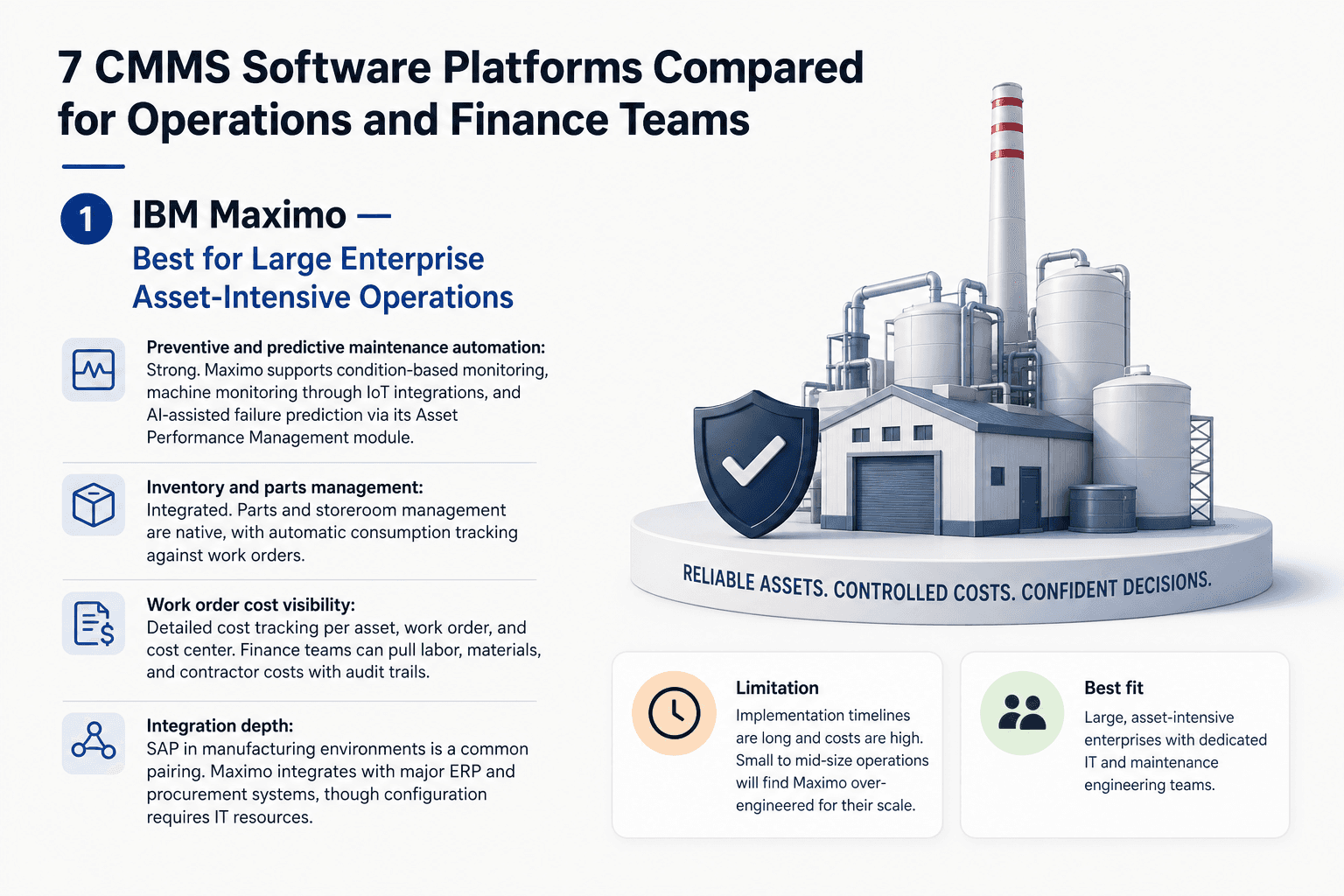
1. IBM Maximo — Best for Large Enterprise Asset-Intensive Operations
IBM Maximo is an enterprise asset management platform built for industries where asset failure is a regulatory or safety event, including utilities, oil and gas, and heavy manufacturing. It handles complex asset hierarchies and long asset lifecycles with a depth that most platforms don't approach.
Preventive and predictive maintenance automation: Strong. Maximo supports condition-based monitoring, machine monitoring through IoT integrations, and AI-assisted failure prediction via its Asset Performance Management module.
Inventory and parts management: Integrated. Parts and storeroom management are native, with automatic consumption tracking against work orders.
Work order cost visibility: Detailed cost tracking per asset, work order, and cost center. Finance teams can pull labor, materials, and contractor costs with audit trails.
Integration depth: SAP in manufacturing environments is a common pairing. Maximo integrates with major ERP and procurement systems, though configuration requires IT resources.
Limitation: Implementation timelines are long and costs are high. Small to mid-size operations will find Maximo over-engineered for their scale.
Best fit: Large, asset-intensive enterprises with dedicated IT and maintenance engineering teams.
2. Fiix by Rockwell Automation — Best for Mid-Market Teams Needing IoT and ERP Integration
Fiix is a cloud-based CMMS with a strong focus on connecting maintenance data to broader business systems. Its acquisition by Rockwell Automation strengthened its IoT and manufacturing software integrations.
Preventive and predictive maintenance automation: Solid. Fiix supports calendar-based PM scheduling and condition-based triggers via IoT sensor connections, which supports predictive maintenance tools at a mid-market price point.
Inventory and parts management: Native parts tracking with automatic work order linking. Reorder alerts are configurable.
Work order cost visibility: Cost tracking per work order with reporting dashboards that finance teams can access without needing a maintenance background.
Integration depth: Pre-built connectors for SAP, Oracle, and several ERP platforms. API access is available for custom connections to warehouse management system software.
Limitation: Advanced AI-driven analytics require add-on modules, and some ERP integrations need configuration work that mid-market teams often underestimate.
Best fit: Mid-market manufacturing and industrial operations that need IoT-connected CMMS without enterprise complexity.
3. UpKeep — Best for Mobile-First Maintenance Teams in Manufacturing and Facilities
UpKeep built its reputation on mobile UX. Technicians create and close work orders from a phone, which drives adoption in environments where desktop access is limited.
Preventive and predictive maintenance automation: Functional. UpKeep supports PM scheduling and basic meter-based triggers. Predictive maintenance tools are available through integrations rather than natively.
Inventory and parts management: Parts tracking ties to work orders. Automatic consumption updates work well when technicians log parts correctly, which remains a user discipline issue.
Work order cost visibility: Cost tracking is present but basic. Finance teams in manufacturing operations often find the reporting insufficient for detailed cost allocation without exporting data manually.
Integration depth: Integrates with QuickBooks and some ERP platforms. Integration depth with full supply chain or procurement management software is lighter than Fiix or Maximo.
Limitation: Reddit users comparing UpKeep with alternatives consistently note that finance-side PO reconciliation remains a manual step, regardless of how clean the mobile UX is.
Best fit: Manufacturing and facilities teams where technician adoption is the primary challenge and finance integration is secondary.
4. Limble CMMS — Best for Small to Mid-Size Operations Wanting Fast Deployment
Limble is designed to get teams operational quickly. Setup time is short, the interface is clean, and the support reputation is strong among small manufacturing businesses.
Preventive and predictive maintenance automation: Good for its tier. PM scheduling is flexible and easy to configure. Predictive capabilities are limited compared to enterprise tools.
Inventory and parts management: Inventory management software functionality is built in, with parts linked to work orders and low-stock alerts available.
Work order cost visibility: Basic cost tracking per work order. Finance visibility is functional for small operations but limited for teams needing detailed cost center allocation.
Integration depth: Integrations with QuickBooks, Zapier, and some ERP tools. Similar to UpKeep, users note that PO reconciliation with procurement systems often stays manual.
Limitation: As noted in user comparisons, Limble's mobile UX wins adoption, but finance-side reconciliation gaps require manual steps that add up for growing teams.
Best fit: Manufacturing software for small business contexts where speed of deployment and ease of use outweigh deep integration needs.
5. MPulse Software — Best for Scalable Work Order Management Across Growth Stages
MPulse is built to scale with the organization. It offers tiered editions designed to match the size and complexity of the operation, from small teams to multi-site enterprises with complex data integration requirements.
Preventive and predictive maintenance automation: Strong preventive software maintenance capabilities across all tiers. Predictive and condition-based maintenance are available in higher editions.
Inventory and parts management: Native inventory management tied to work orders, with automatic parts consumption tracking and reorder triggers.
Work order cost visibility: Labor, materials, and contractor costs are tracked per work order and reportable by cost center. Finance teams have access to audit-ready cost data.
Integration depth: API-based integrations with ERP and procurement systems. Integration depth scales with edition level, which means smaller deployments have lighter connectivity.
Limitation: The tiered model means teams that outgrow a lower edition face migration work rather than a seamless upgrade path.
Best fit: Operations at any growth stage that need a CMMS that won't require replacement as the business scales.
6. Hippo CMMS — Best for Facilities and Property Management Teams
Hippo CMMS focuses on facilities management rather than industrial asset management. It serves property managers, healthcare facilities, and commercial buildings where maintenance is building-centric rather than equipment-centric.
Preventive and predictive maintenance automation: Solid for facilities contexts. PM scheduling and vendor management are strengths. Predictive maintenance tools tied to IoT sensor data are limited.
Inventory and parts management: Basic parts and inventory tracking. Works for facilities contexts but lacks depth for manufacturing operations with complex bill of materials requirements.
Work order cost visibility: Work order cost tracking is present. Finance team reporting is functional for facilities budgets but not designed for manufacturing accounting software workflows.
Integration depth: Integrates with QuickBooks and basic ERP tools. Not designed for deep supply chain or production management software connectivity.
Limitation: Facilities-first architecture makes Hippo a poor fit for manufacturing or distribution operations that need production management software integration.
Best fit: Facilities management, property management, and healthcare operations where building systems rather than production assets are the focus.
7. Fracttal One — Best for Teams Needing Multilingual Support and IoT-Driven Predictive Maintenance
Fracttal One is a cloud-based CMMS with strong IoT integration and multilingual support across Spanish, English, and Portuguese. It serves manufacturing and industrial operations across Latin America and international markets.
Preventive and predictive maintenance automation: A genuine strength. Fracttal connects directly to IoT sensors for machine monitoring and uses that data to trigger predictive maintenance workflows automatically.
Inventory and parts management: Inventory management software solutions are integrated, with parts linked to assets and work orders. Stock alerts and consumption tracking are built in.
Work order cost visibility: Cost tracking per work order and asset is available. Finance reporting is functional but less configurable than enterprise platforms.
Integration depth: ERP and procurement integrations exist but require configuration. The software bill of materials capability supports manufacturing contexts well.
Limitation: Adoption outside Latin America and Europe is limited, which affects community support resources and third-party integration availability in some markets.
Best fit: Industrial and manufacturing operations in international markets that need IoT-driven predictive maintenance and multilingual platform support.
Where CMMS Tools Typically Hand Off to Manual Work
Every platform above has a point where automation stops. That boundary usually sits between maintenance closure, procurement approval, inventory reconciliation, and billing. The work order closes in the CMMS. The PO stays open in the ERP. The invoice arrives in accounting. Nobody owns the handoff, so a person fills the gap.
Predflow builds AI agents that operate at exactly that boundary. Rather than starting with tools, Predflow maps the process first, identifies the specific handoff gaps, then deploys agents that handle edge cases across CMMS, ERP, WMS, billing, and procurement systems. Teams stop filling the gaps manually because the agents handle exceptions in real time, 24/7.
How to Choose Between CMMS Software Options Without Getting Locked Into the Wrong System
Teams that select CMMS software based on a UI demo and then discover, twelve months later, that ERP sync fails or billing reconciliation stays manual have made the same mistake repeatedly: they evaluated the interface and skipped the integration. The three steps below prevent that outcome.
Step 1 — Map your current manual handoffs before evaluating any vendor.
List every point where a person moves data between systems by hand. Include work order-to-PO handoffs, parts consumption-to-inventory updates, and invoice-to-cost-center reconciliation. Ask vendors: "Show me exactly how your system handles this specific handoff, not a demo workflow."
Step 2 — Pilot the integration, not just the UI.
Run a 30-day pilot on one live workflow that crosses at least two systems. Billing and inventory management software connections, dispatching software integrations, and ERP sync all behave differently in production than in a demo environment. Ask vendors: "Can we test the ERP and procurement integration in our actual environment before signing?"
Step 3 — Audit where the automation ceiling is before signing a contract.
Every CMMS has a point where automation stops and human input is required. Identify that ceiling explicitly. Supply chain risk management software, freight invoice processing, and cod reconciliation workflows often sit outside the CMMS boundary. Ask vendors: "What does your system not automate, and how do customers handle those gaps?"
What Does CMMS Software Actually Automate in 2025?
Modern CMMS software automates the scheduling and execution side of maintenance operations: work order creation, PM triggers, parts reorder alerts, and labor time tracking. It does not automatically handle the financial reconciliation, procurement approval, or cross-system data syncing that operations and finance teams also need.
What CMMS Automates | What Still Requires Human or External System Input |
|---|---|
Preventive maintenance scheduling | Purchase order approval and PO-to-work-order matching |
Work order creation from sensor alerts or time triggers | Invoice reconciliation against actual parts costs |
Parts consumption tracking against open work orders | ERP and accounting system data sync |
Labor time logging and technician assignment | Demand forecasting and procurement planning |
Equipment downtime tracking and history logging | Freight invoice processing and COD reconciliation |
Reorder alerts for low-stock parts | Warranty claims and vendor dispute resolution |
The automation gap between columns two and three is where operations and finance teams still spend significant manual time, regardless of which CMMS platform they choose.
Frequently Asked Questions
What is CMMS software used for in manufacturing and operations?
CMMS software manages maintenance work orders, asset histories, preventive maintenance schedules, and parts inventory for manufacturing and operations teams. It reduces unplanned downtime by automating maintenance triggers and giving technicians and operations managers a single system to track equipment status, labor, and costs.
How is CMMS software different from ERP software for maintenance management?
CMMS software focuses on maintenance operations: work orders, asset tracking, PM scheduling, and parts management. ERP software for maintenance management covers broader business functions including finance, procurement, and supply chain. Many operations use both, with CMMS handling the maintenance workflow and ERP handling procurement approvals, cost allocation, and financial reporting.
Can CMMS software integrate with warehouse management system software and inventory tools?
Most mid-tier and enterprise CMMS platforms offer API integrations with warehouse management system software and inventory management software solutions. The depth of that integration varies. Some platforms sync parts consumption automatically. Others require manual exports or middleware to keep inventory data consistent across systems.
What is the best CMMS software for small manufacturing businesses?
Limble CMMS and UpKeep are frequently cited for small manufacturing businesses because of fast deployment, mobile-first design, and manageable pricing. MPulse Software is a strong option for businesses expecting growth, as its tiered model scales without requiring a platform change. Manufacturing software for small business contexts should prioritize ease of use and quick adoption over feature depth.
How does CMMS software help finance and accounts payable teams reduce manual work?
CMMS platforms with strong work order cost visibility give accounts payable teams traceable records linking labor, parts, and contractor costs to specific assets and work orders. This reduces the manual reconciliation required when invoices arrive without context. The remaining gap, matching CMMS cost data to ERP purchase orders and GL codes, typically still requires either manual steps or a dedicated integration layer.
What is the difference between preventive maintenance and predictive maintenance in CMMS platforms?
Preventive software maintenance schedules work based on time intervals or usage thresholds, such as servicing a machine every 500 operating hours. Predictive maintenance tools use real-time sensor data and machine monitoring to detect early failure signals and trigger work orders only when equipment behavior indicates an actual problem. Predictive maintenance reduces unnecessary maintenance labor. Preventive maintenance is simpler to implement and remains the standard for most operations.
The Real Decision: CMMS or End-to-End Workflow Automation?
If your core problem is maintenance scheduling and asset tracking within a single team, any of the seven platforms above will serve you. They are well-built tools for what they are designed to do.
If your real problem is manual handoffs between maintenance, procurement, inventory, and finance, a CMMS alone won't solve it. The workflow breaks at the boundaries between systems, and every platform on this list has those boundaries. The right starting point is mapping your specific handoff gaps before choosing any tool.
If you want to see exactly where your current workflow automation breaks down before committing to a platform, Predflow offers a free process mapping session. No sales pitch. Just a clear map of your handoff gaps and where automation can close them.
Bring 20 NetSuite bills to a 30-minute teardown
We will walk your actual invoices through capture, 3-way match and posting on the call, and tell you which steps an agent can take over. No prep beyond the PDFs.
FAQ
Frequently asked questions
What exactly is an AI agent
An AI agent is an autonomous system designed to handle specific business tasks end-to-end. Unlike simple chatbots, AI agents can reason, take actions, integrate with tools, and follow defined workflows.